This month I turned a small importer I had built for one site into AccessNow Instant Import, a free WordPress plugin that brings posts and pages written with an AI assistant into WordPress as drafts. Along the way it picked up a second job I hadn’t planned: moving pages off page builders like Thrive Architect and Elementor. This is how it went, and the traps that cost the most time.
Where it started
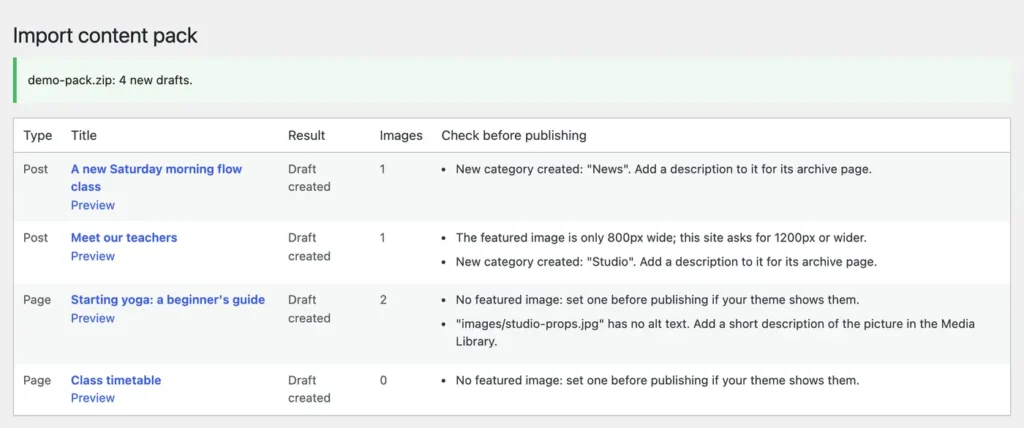
The original was a plugin for my brother’s site. Claude wrote the posts, handed back a zip, and the plugin turned the zip into drafts with their pictures, categories and templates set. Later it learned to work both ways, which I wrote about in Letting Claude review my site’s content.
It worked so well that my first thought was to fold it into Site Replica Pro. In the end I gave it its own plugin: a free version anyone can find on WordPress.org, and a Pro version for the bigger jobs. The name took longer than the decision. Content Pack, Block Bridge, Draft Drop and Instant Content were all on the list before Instant Import won.
Every site is different, so the instructions have to be too
The old plugin knew one site by heart: its post types, its templates, its colours, its writing rules. A plugin for any site can’t. So the plugin now writes a spec for the site it is on, by asking WordPress itself: which content types you allow, their categories and custom fields, the templates your theme has, the picture sizes it wants, your colours and your house style. You give that spec to your assistant, and every pack it writes fits your site.
Each spec carries a site ID and a revision. A pack written for another site, or from an older spec, still imports, with a note to check what no longer fits. Before release I had an AI writer use the spec twice, cold. Both packs imported cleanly, and its notes rewrote half the spec.
Blocks the editor actually accepts
WordPress is fussy about blocks. If what is saved doesn’t match exactly what the editor would have written, the page opens with an “unexpected or invalid content” warning. So every kind of block the plugin writes is checked against the real editor, in a browser with nobody watching, on every change. That check earned its keep at the very end: on the oldest WordPress version the plugin supports, tables were quietly invalid, because the newer default they relied on didn’t exist yet.
Leaving a page builder
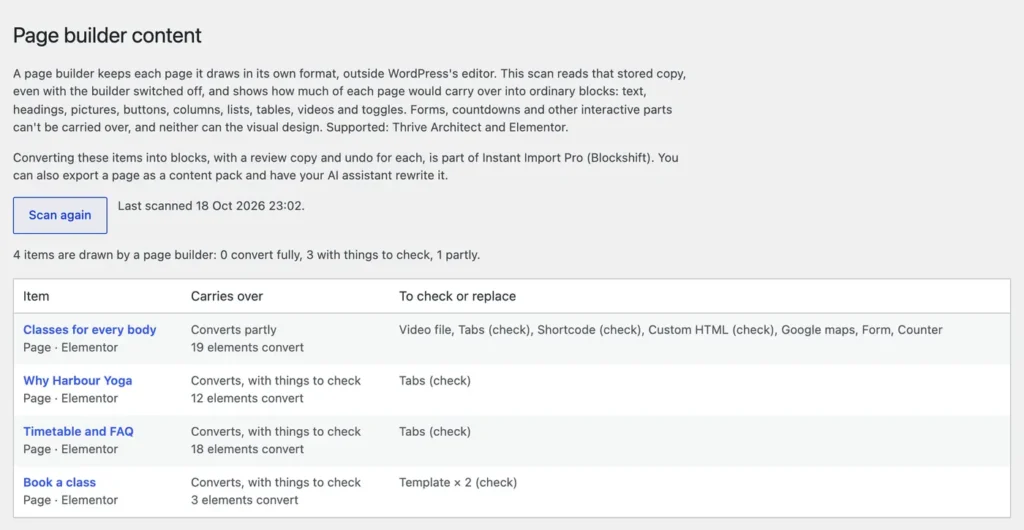
When I moved my karate school’s site off Thrive Architect, I learned the hard way that a builder page’s ordinary WordPress content is only a plain-text copy. The real page lives in the builder’s own storage. So Instant Import reads that storage directly, which means it works even with the builder switched off or its licence expired.
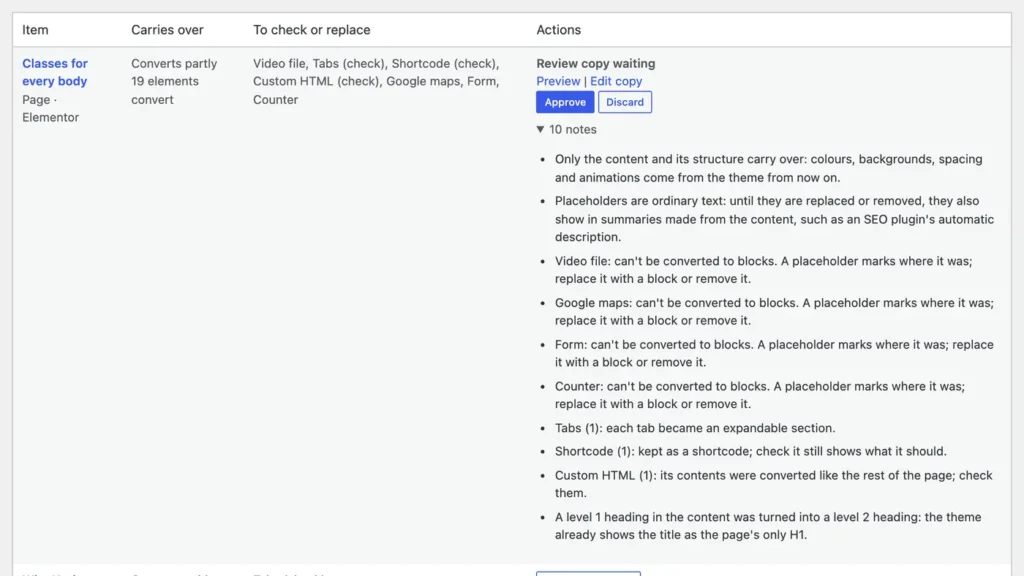
The free version only looks: Tools → Page builder content lists every builder page and how much of it would carry over into blocks. Pro’s Blockshift does the converting, as a review copy you approve. The builder’s own copy is never touched, so undo puts the page back exactly.
Testing on a real site, not a pretend one
Tests with made-up pages all passed. Then I copied a whole real site, Karate 4 Life, onto a throwaway install: 7,057 posts and 2.2 GB of pictures, copied in seconds because the Mac can clone files without duplicating them. It has 15 Thrive pages, and 116 of their 126 elements convert cleanly. Every page went through convert, approve and undo using the real screens, and every one came back exactly as it was.


The real site found four problems the tests hadn’t. The “latest posts” list froze into last month’s posts. Converted pages disappeared from the screen, and their undo button with them. One page looked converted but nothing changed, because another plugin draws that page itself. And Yoast quoted the placeholder text in its automatic description. All four are fixed.
Two reviews, seventeen problems
Before calling each half finished, I had the work reviewed with fresh eyes. The Thrive review found nine problems and the Elementor review eight. The worst two would have hurt real sites: approving an ordinary content update could have switched Thrive off, and restoring an old Elementor revision could switch Elementor back on over the new blocks. Each one now has a test that fails without the fix.
How it turned out
Instant Import is free, needs no account or API key, and never publishes anything on its own. It works with whichever AI assistant you like. Pro adds updating existing content with a preview and undo, and Blockshift for Thrive Architect and Elementor. Download it from the project page, or read what is in version 1.0.