Dojo Manager is the app I’m building to run our karate dojo, Sunshine Coast Karate, and when it’s ready it will also be offered to other karate dojos as an online service. This part is about staff permissions: deciding who on your team can do what, from booking a student into a class to refunding a payment. Every screenshot comes from a test dojo with made-up staff and students.
A dojo isn’t run by one person. There’s the head instructor, an instructor or two who teach some classes, maybe someone on the front desk who signs people up and takes payments. They need different things, and some of them shouldn’t see what the dojo earns.
Why “admin or not” wasn’t enough
Until now Dojo Manager had two kinds of staff: administrators, who could do everything, and instructors, who were meant to only look. When I sat down to plan something finer, I checked how well that second rule actually held. It didn’t. Instructors could edit the calendar, approve waivers, change membership plans and dojo settings, even run a data import, simply because nobody had put a check on those pages. They weren’t allowed to; they just weren’t stopped.
There was a quieter problem too. Someone’s role was stored once for the whole app, not per dojo. Someone who helps run one dojo and only trains at another would have been an administrator in both.
Tickboxes for the main jobs, not for every button
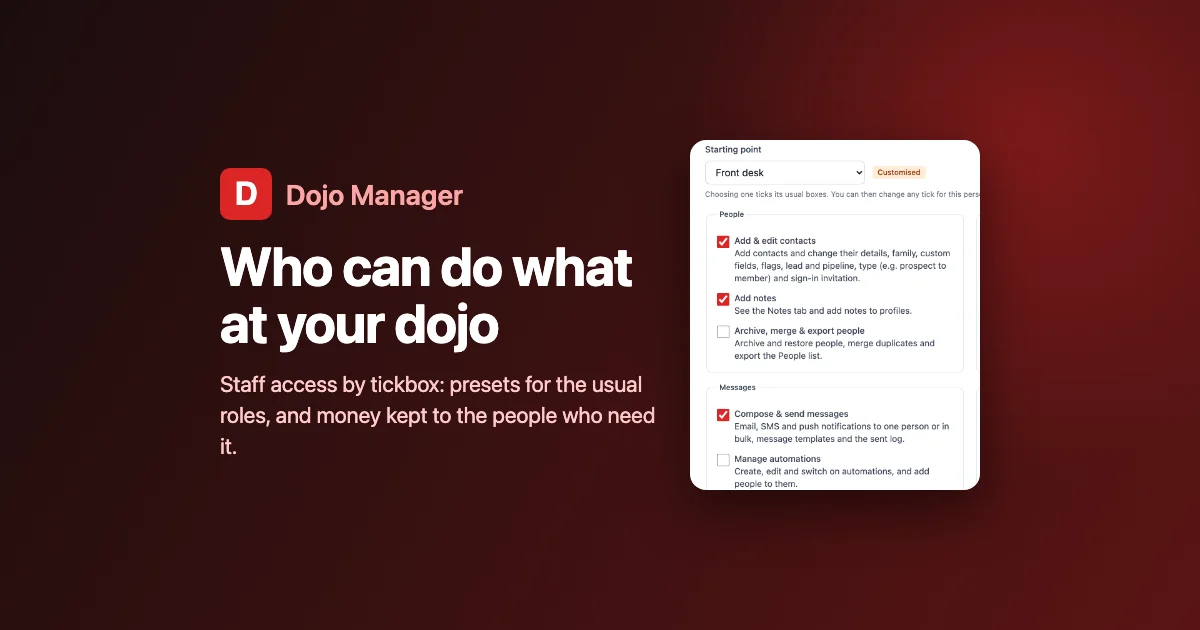
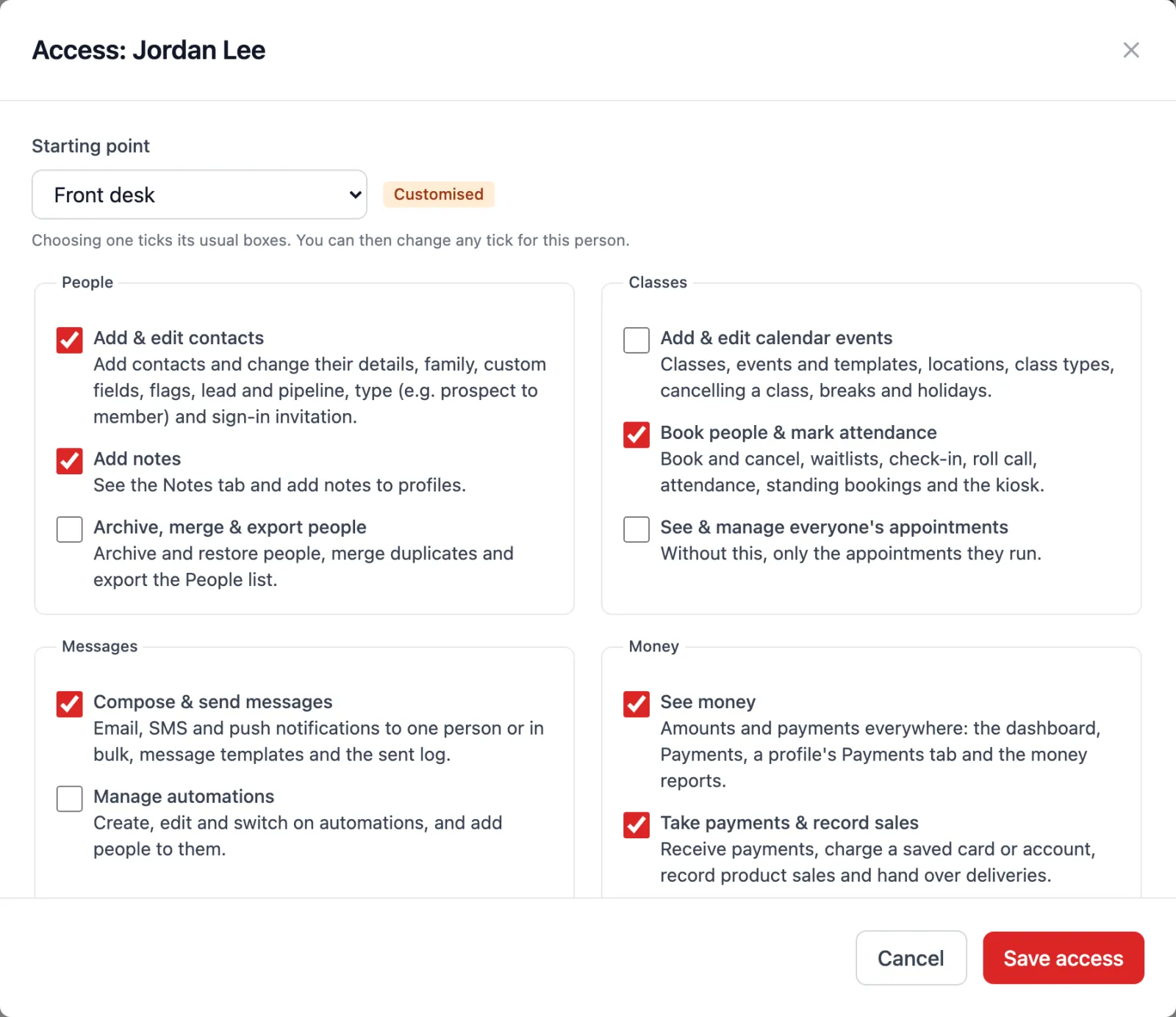
I didn’t want a wall of a hundred switches that nobody would ever set up. So there are 23 tickboxes in eight groups, each describing a real job: Add & edit contacts, Book people & mark attendance, Compose & send messages, Take payments & record sales, Run gradings, View reports, and so on. Each has a line underneath saying what it covers.
Nobody should have to tick 23 boxes for every new staff member, though. You pick a starting point instead:
- Administrator: everything except managing other staff’s access.
- Front desk: contacts, bookings, messages, payments and memberships, waivers and enquiries.
- Instructor: notes, bookings and attendance, and reports.
- No access: just the dashboard, people, the calendar and their own tasks.
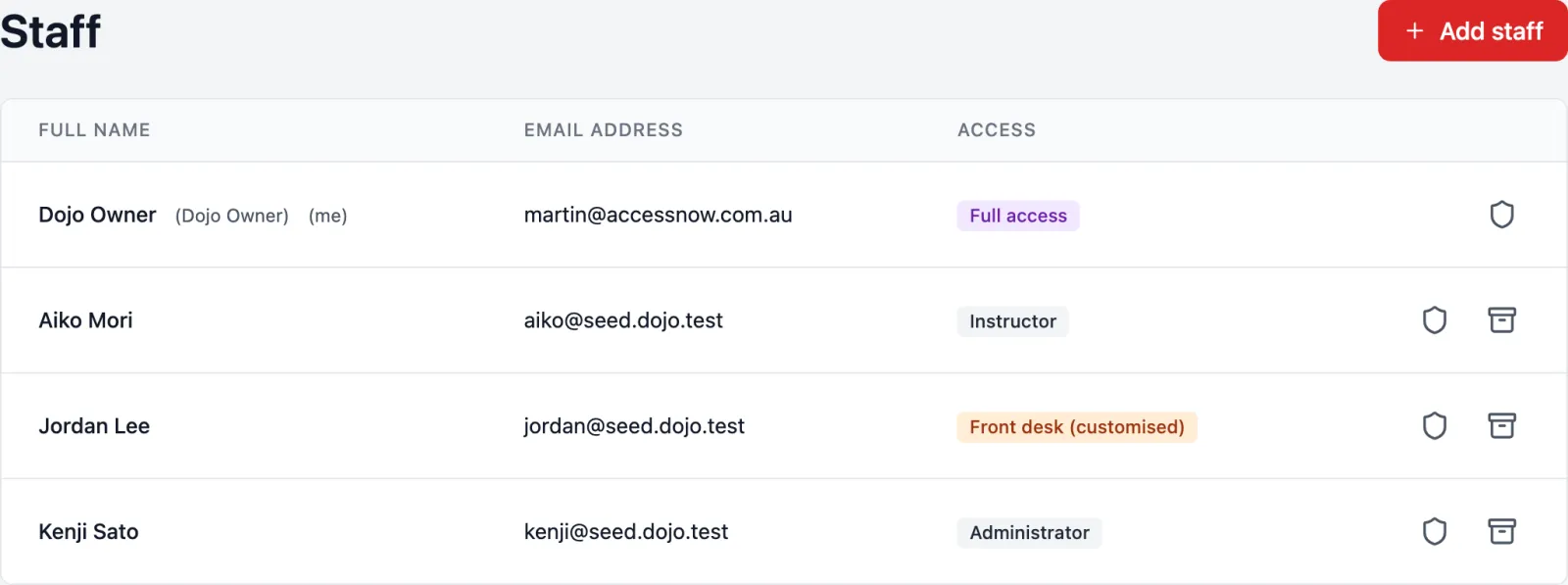
Then you change any tick for that one person. Jordan below is on the front desk but also helps run gradings, so the window marks Jordan’s access as Customised. The dojo owner always has everything, and only they (or someone they trust with it) can hand access out. Nobody can change their own access, and you can’t give anyone a permission you don’t have yourself.
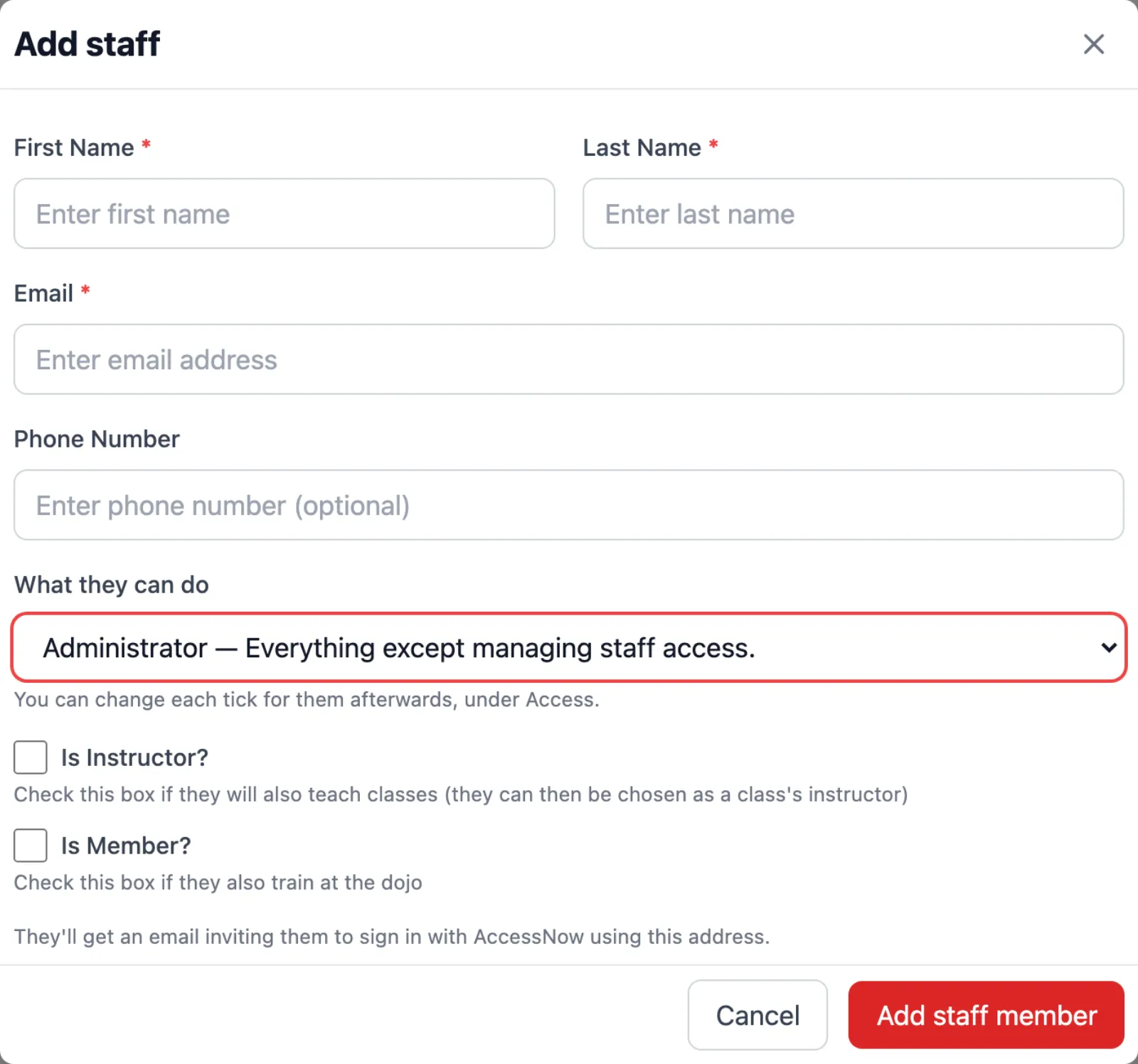
One decision came from the karate side rather than the software side. I’d put Run gradings in the Instructor preset. When I saw it written down, I took it out: in our dojos, grading is the head instructor’s job. An instructor who helps with it can be given the tick by hand.
Money stays with the people who need it
The tick I care most about is See money. Without it, money doesn’t just get greyed out; it isn’t there. The revenue chart and the overdue list leave the dashboard, the Payments and Product Sales pages go from the menu, a student’s Payments and Credit tabs disappear from their profile, and the money reports aren’t in the reports list. Payments also drop out of the activity history. Someone can still see a student’s membership and whether they’re on hold, just not what they pay.
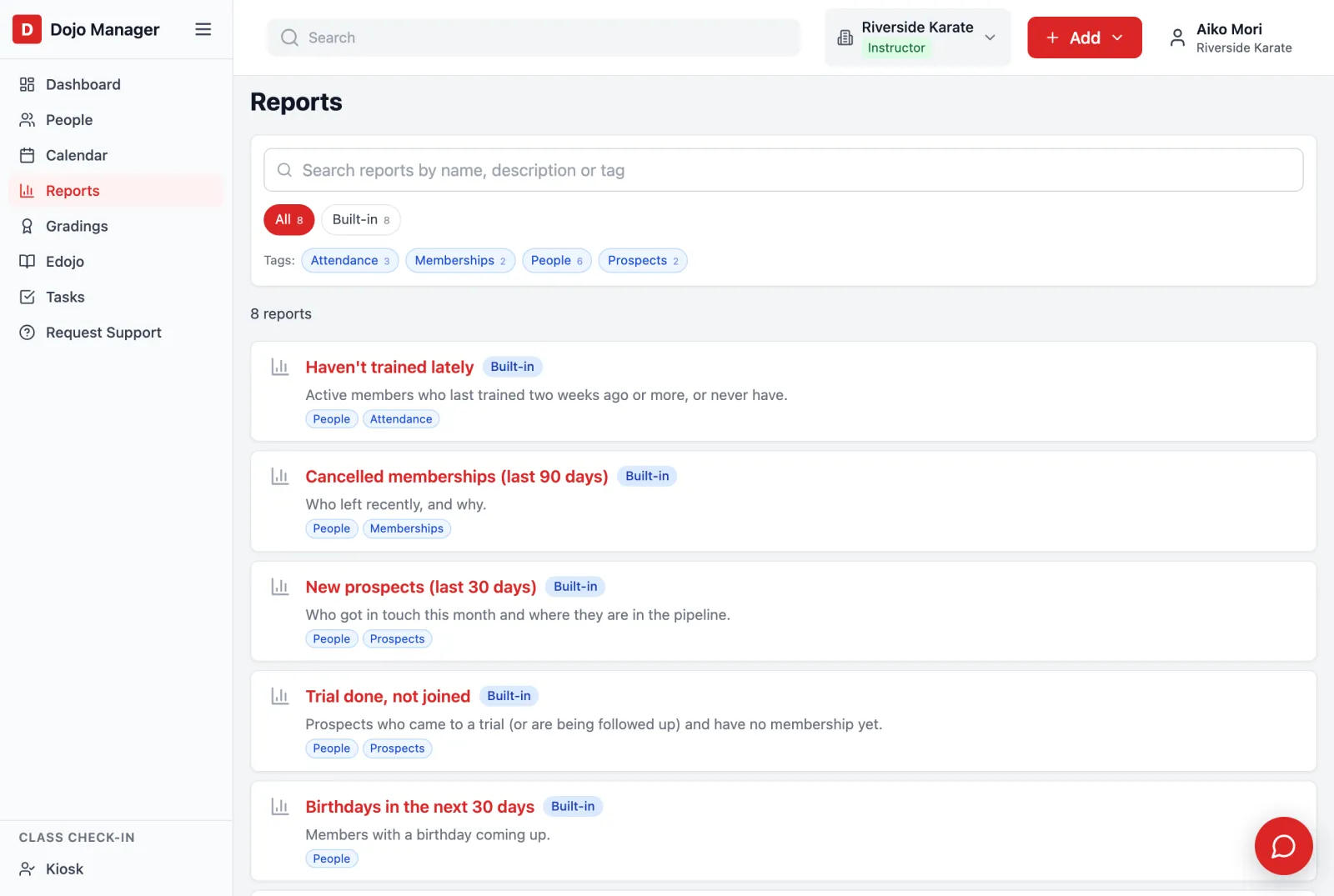
The trap here was nearly a nasty one. Dojo Manager has rules that run on their own: “send a reminder to anyone whose payment failed”, or “only invite people to grading if they’re not behind on fees”. My first version hid the money from those rules too, whenever the person whose action set them off couldn’t see money. An instructor checking someone in could have quietly broken an automation. Now hiding money is only for what people see on screen; the dojo’s own rules always see everything.
Everyone sees their own menu
The menus follow the ticks, so people aren’t faced with pages that just say “no”. Here are three people at the same dojo: the owner, Jordan on the front desk, and Aiko, an instructor.
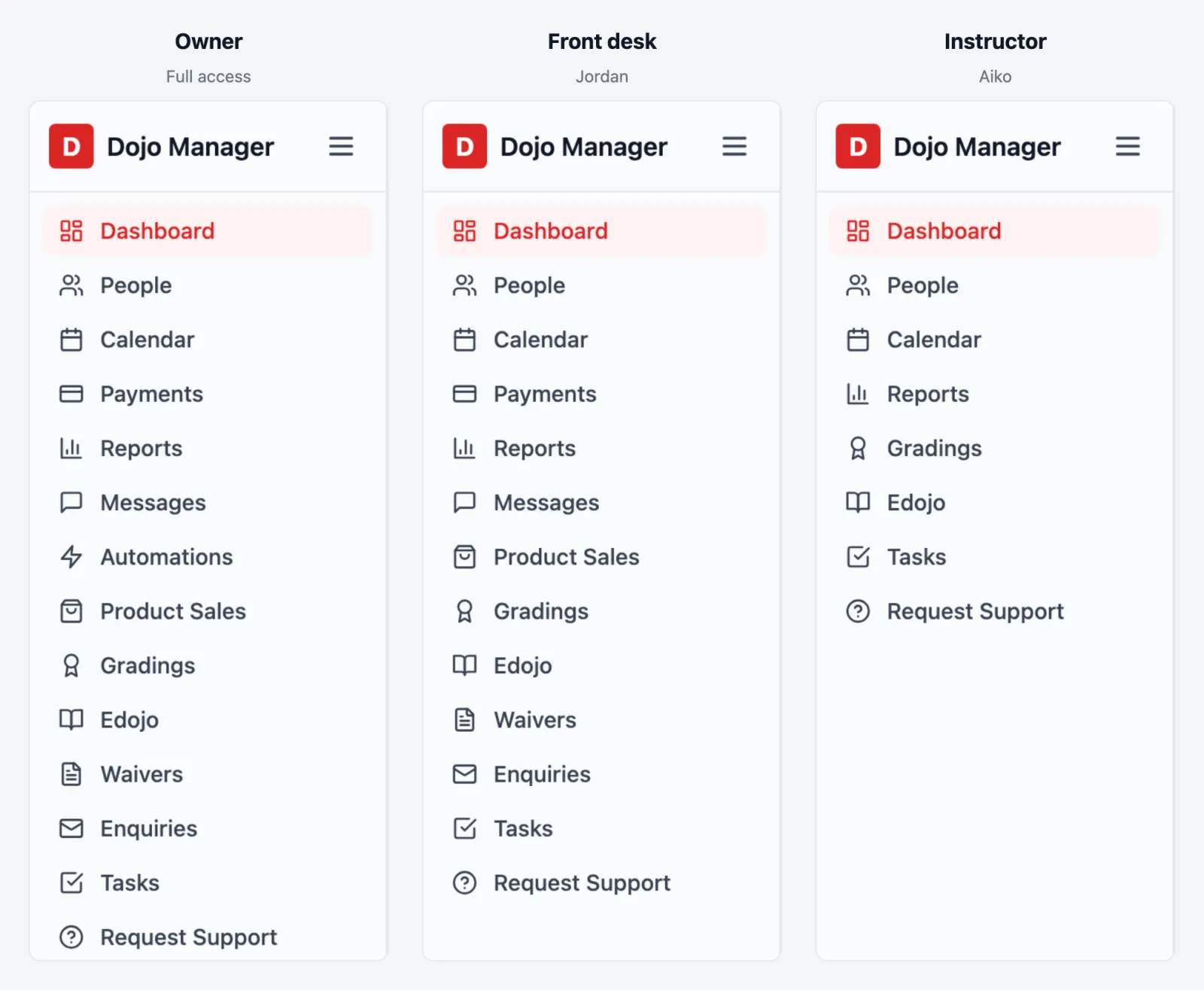
A few things everyone on staff can always do. They can look people up, see the calendar, keep their own tasks and run their own private lessons. Without the wider ticks, they just don’t see everyone else’s tasks or appointments.
Built to keep up as the app grows
Dojo Manager is still growing every week, so I asked a question before building any of this: what happens when a new feature arrives next month? If every person’s ticks were saved as a full list, a new permission would reach nobody until every dojo went through every staff member again.
So each person stores only how they differ from their starting point. When a new feature’s permission is added to the Administrator preset, every administrator has it the next time they click, and anyone’s deliberate exceptions stay exactly as they were. New permissions are marked New for two months, so owners notice them. And a checking script runs before every change I make: if a new page that changes anything has no access check, it fails. That’s how this project found the gaps in the first place: the first run listed 84 pages that changed data with no check at all.
What’s next
This was built in three parts. By the end, a made-up staff member with no ticks was refused by every one of the 163 pages that change data, and each tick opened only its own area. Every starting point was walked through more than 20 pages to make sure nothing showed that shouldn’t.
If you missed them, the earlier posts cover grading in Dojo Manager and full classes and waitlists. If you run a dojo and would like to hear when Dojo Manager is ready, get in touch.