Dojo Manager is the app I’m building to run our karate dojo, Sunshine Coast Karate, and when it’s ready it will also be offered to other karate dojos as an online service. This part is about class bookings: what happens when a class is full, how a class waitlist works, and what to do when you have to cancel a class. Every screenshot comes from a test dojo filled with made-up students.
Bookings sound simple until a popular kids’ class fills up on a Monday afternoon. Who gets the next place? Can a parent book a fourth trial class for the same child? What happens to twelve bookings when the instructor calls in sick? These are the questions this part answers.
A full class means full
Before this, Dojo Manager only stopped members and the check-in tablet from overbooking a class. Staff could book any number of people into it, and the free trial places a class offers were only checked for being “more than none”: a class with one trial place would take as many trials as you booked. Now there’s one rule for places, and it’s the same whether a member books on their phone, a parent books for their child, someone checks in at the tablet, or a new family books a free trial from the dojo’s website.
The rule is checked at the moment the place is taken, not just when the screen loads. If two parents press Book for the last place at the same second, one gets it and the other is told the class has just filled.
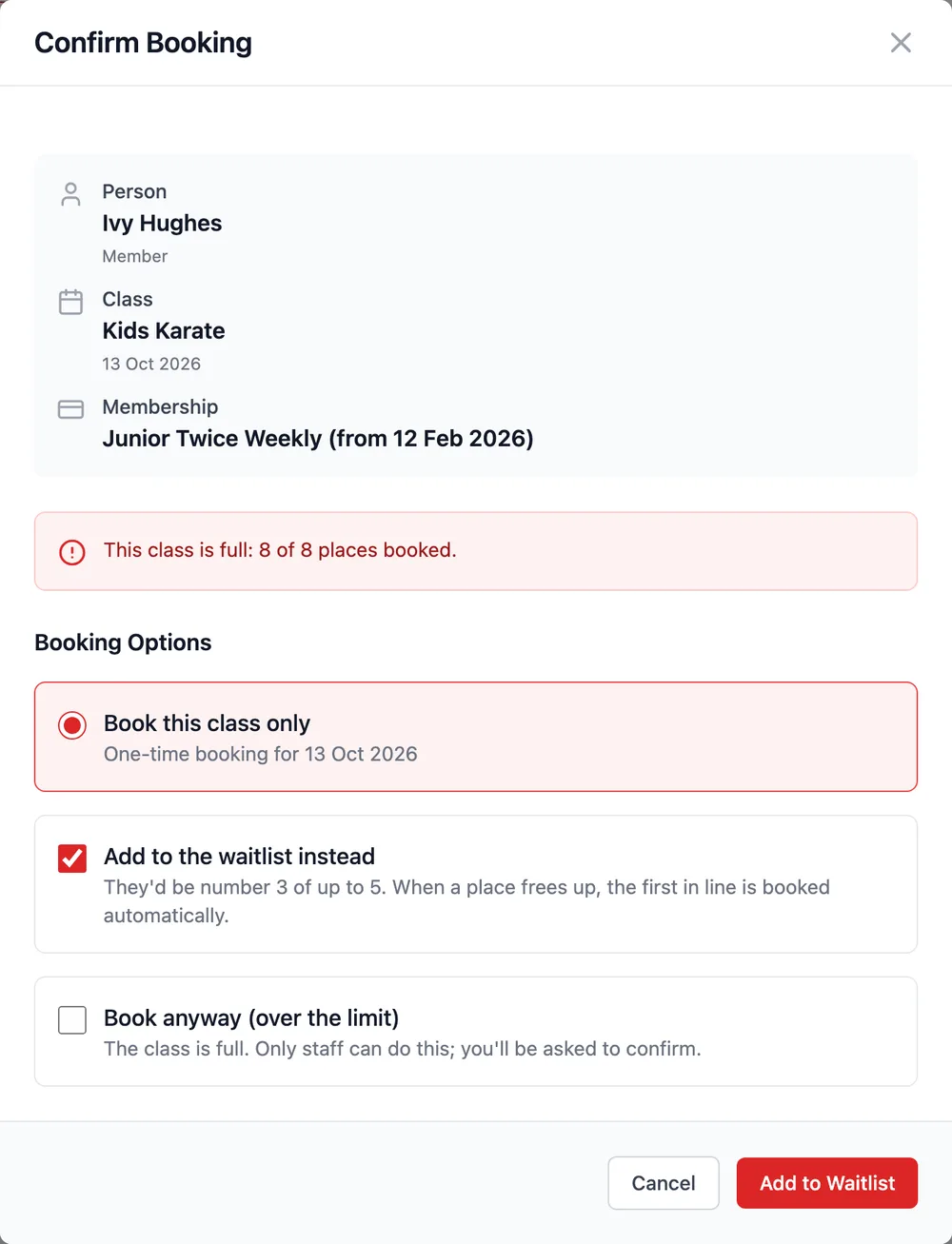
Staff still have the final say. When a class is full, the booking screen says so, offers the waitlist, and offers Book anyway (over the limit) behind a tick and a confirmation. It’s recorded in the student’s history, so you can see later who was squeezed in.
The same tab also handles trial classes and waivers. A dojo can limit how many free trials one person gets however they’re booked, keep trials for people who’ve never been members, and require a signed waiver before anyone trains. A parent’s waiver covers their children. Without one, the check-in tablet sends them to the front desk, and the instructor’s class list marks them No waiver.
A waitlist that books the next person
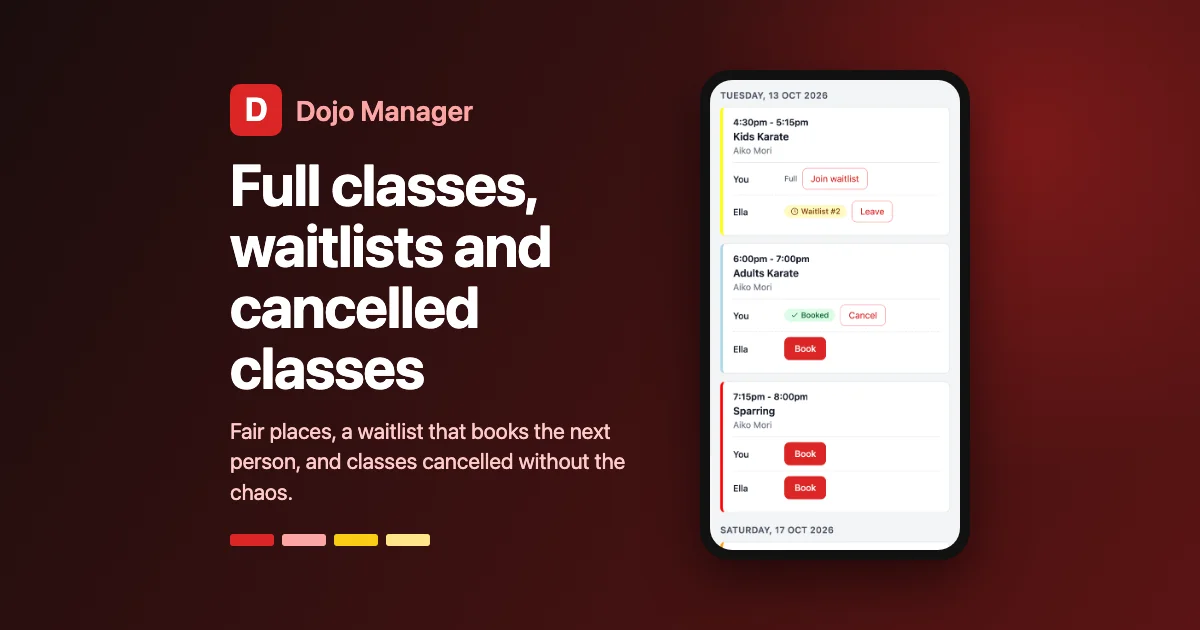
I had to choose how a waitlist should behave when a place frees up. One option was to email everyone waiting and let the fastest person grab the place. The other was to book the first person in line automatically. I chose the second: it’s fair, nobody has to watch their inbox, and the place doesn’t sit empty because nobody clicked. The person is told by email that they’re in, and the message can be changed like any other.
The dojo’s rules still apply at that moment. If the first person in line is on a membership hold that day, or has used all their classes for the week, they’re skipped for the next person and keep their place in the queue. Staff see the waitlist under the class, in order, and can move someone up, take them off, or book them straight in.
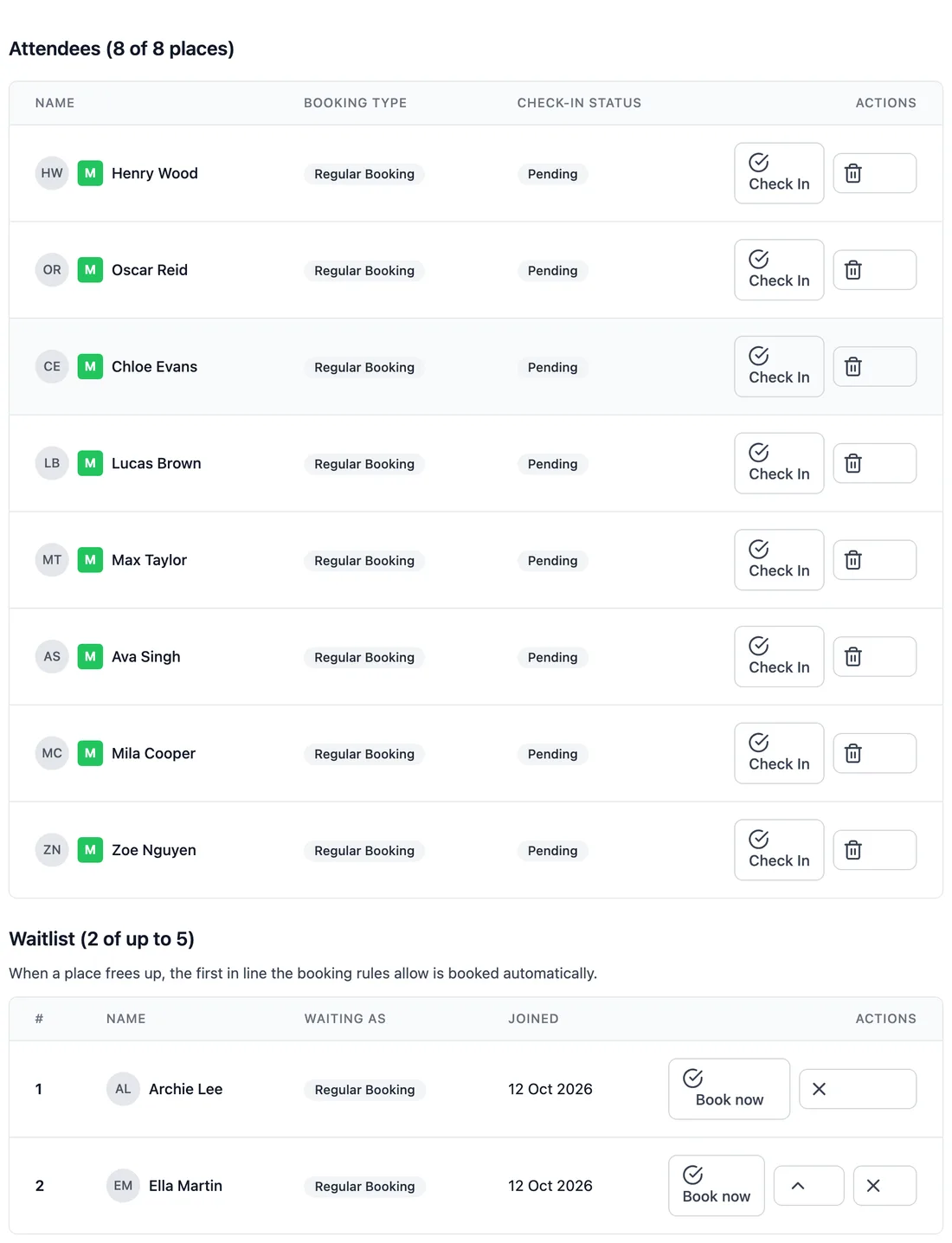
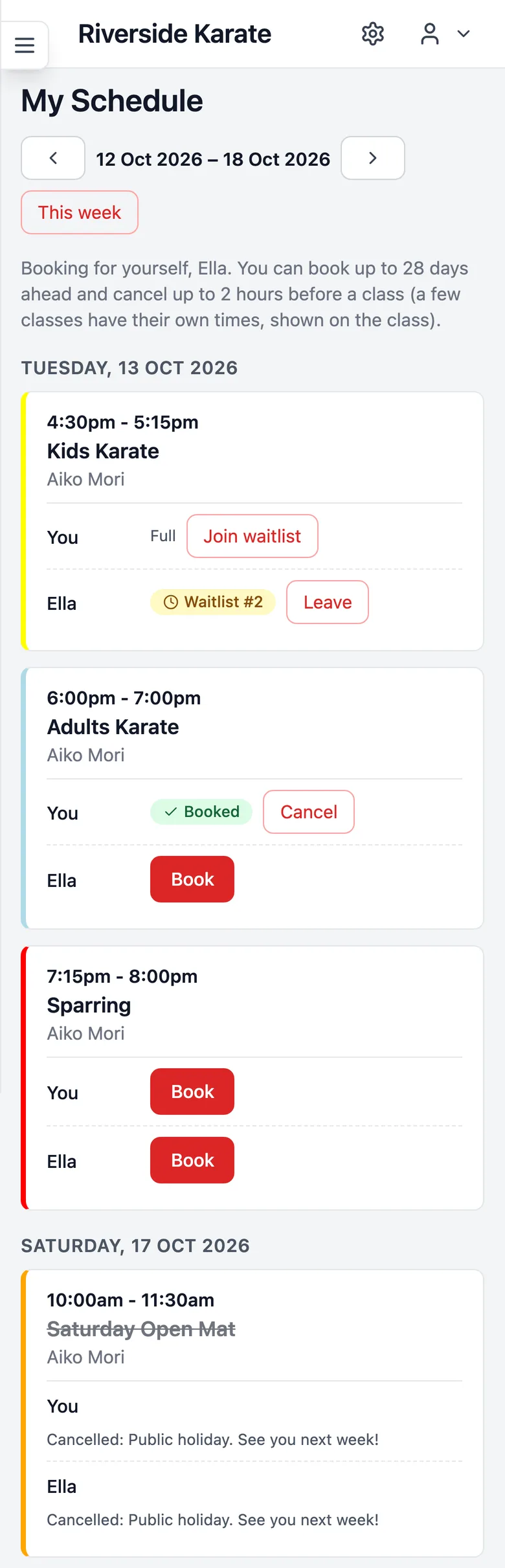
Members and parents join a waitlist themselves from My Schedule, which shows their place in line and lets them leave. The hardest part to get right was quiet: around forty places in the app counted “not cancelled” as “booked”. Every one of them would have counted people on the waitlist towards attendance, class limits, reminders and reports. Each was checked and changed.
Cancelling a class without the chaos
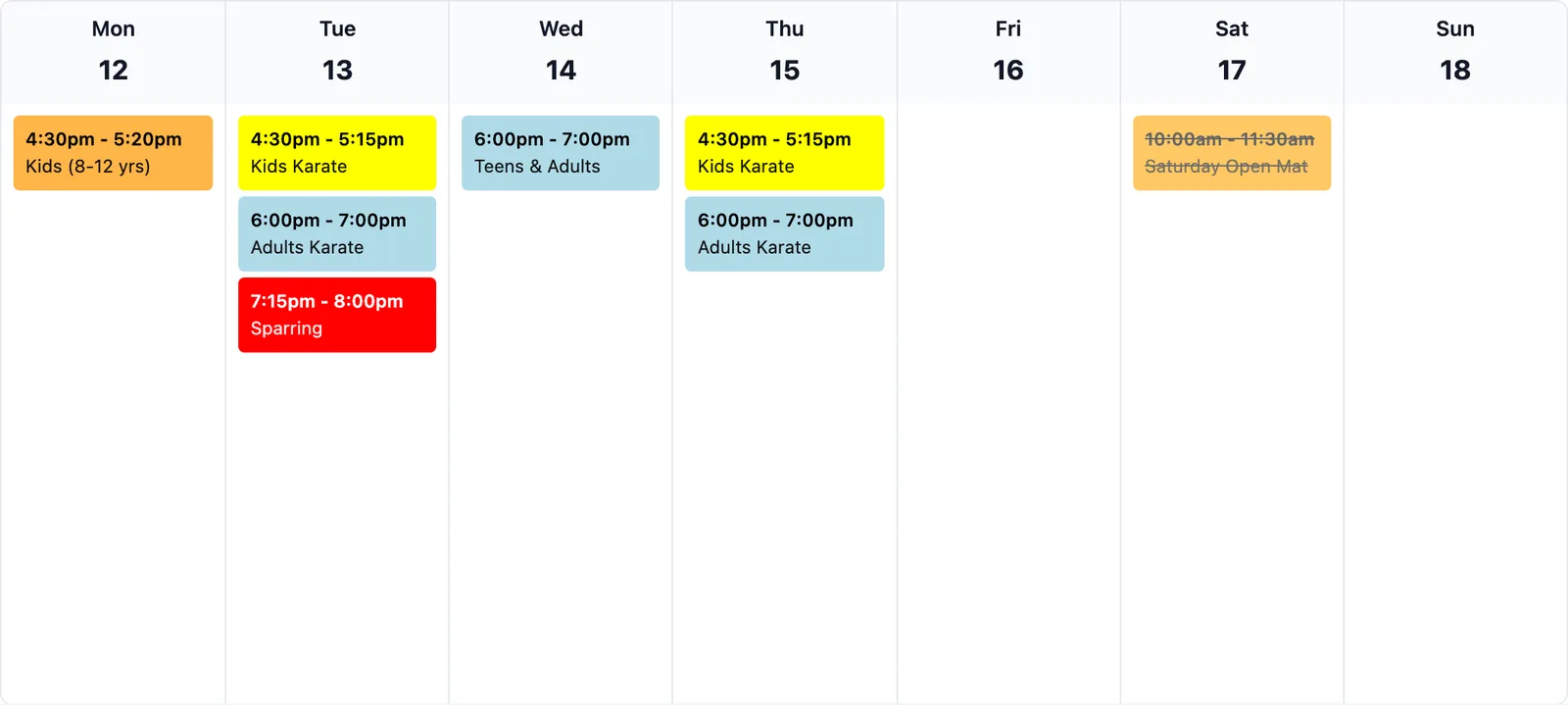
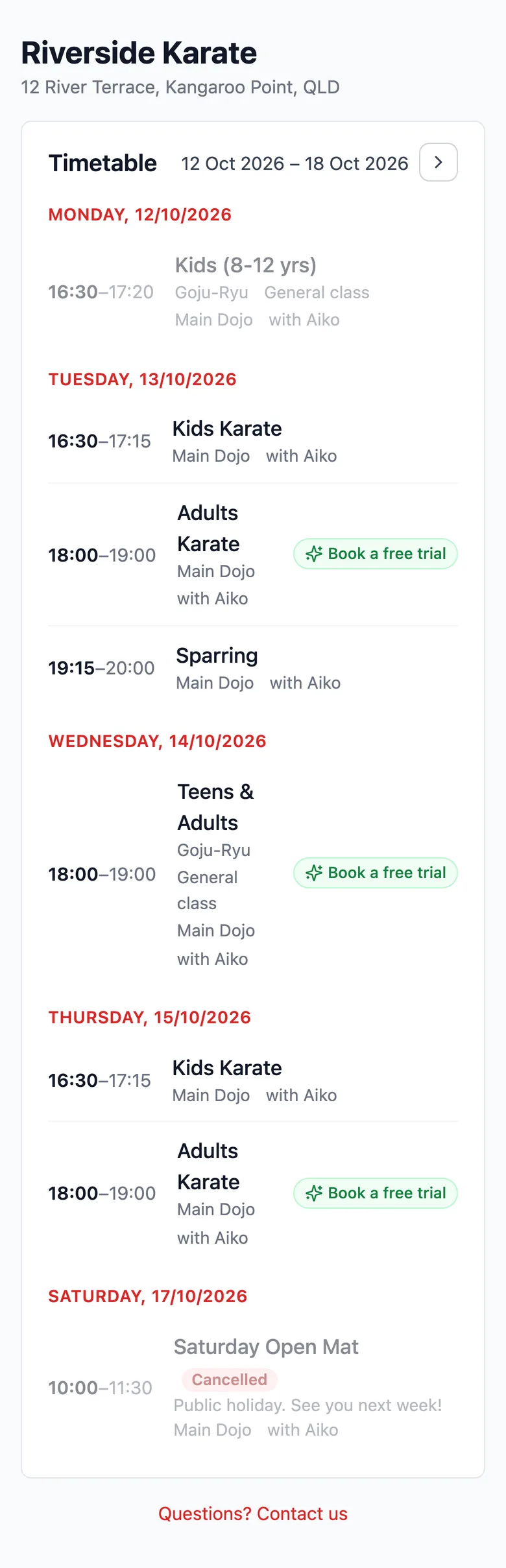
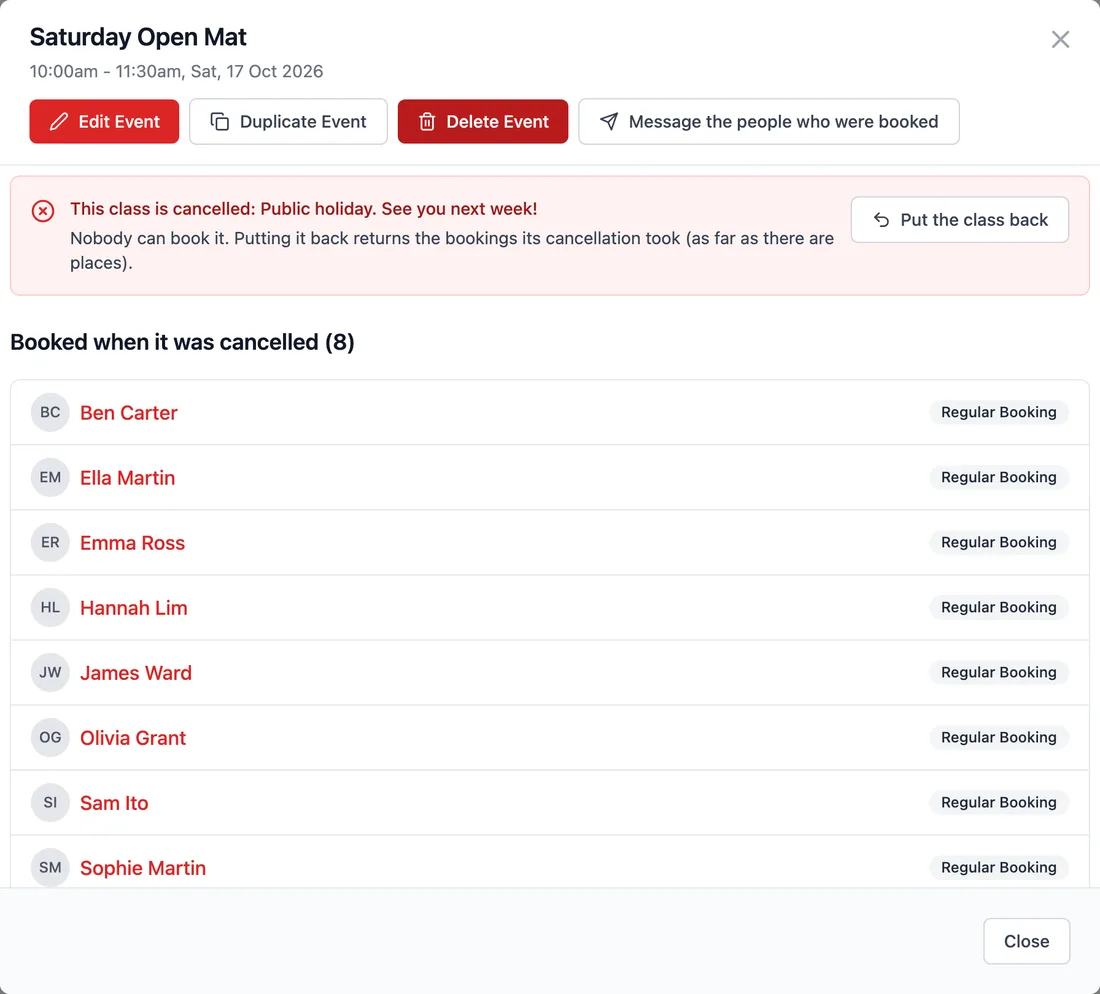
Deleting a class used to be the only way to cancel it, which also made it vanish from everyone’s schedule with no explanation. Now a class can be cancelled instead. It stays on the calendar struck through, with an optional reason that members see in the app and on the dojo’s public timetable. Everyone’s booking is cancelled, any make-up class they’d used on it is given back, and the waitlist is cleared. Nobody can book it, not even staff.
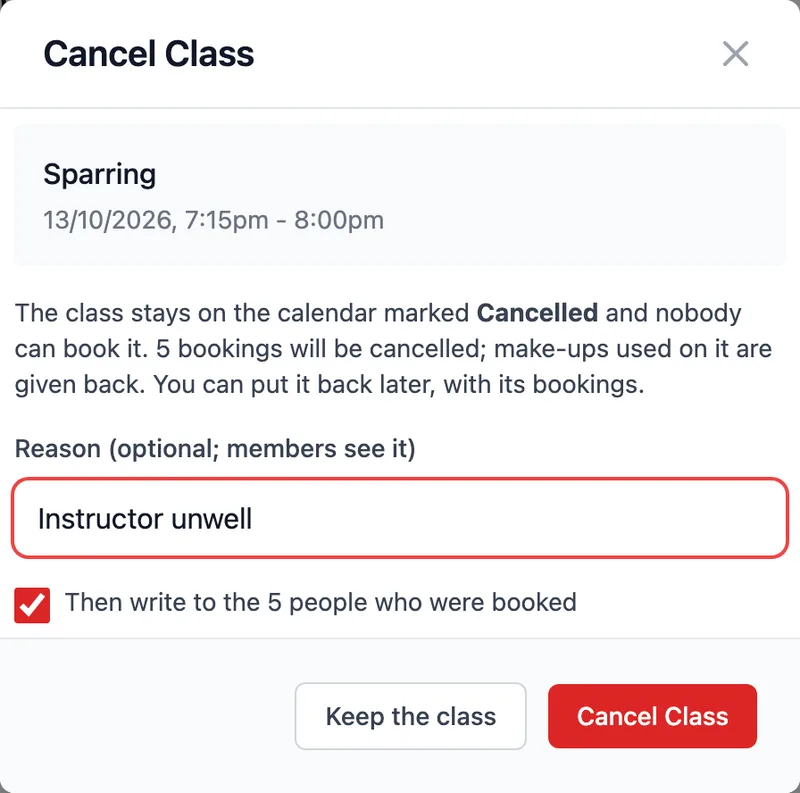
The dialog then takes you straight to a message to the people who were booked. The class keeps a list of who had been booked, so you can call anyone who doesn’t read email. If the instructor recovers, Put the class back restores everyone’s booking, as long as there are still places.
Booking windows and late cancellations
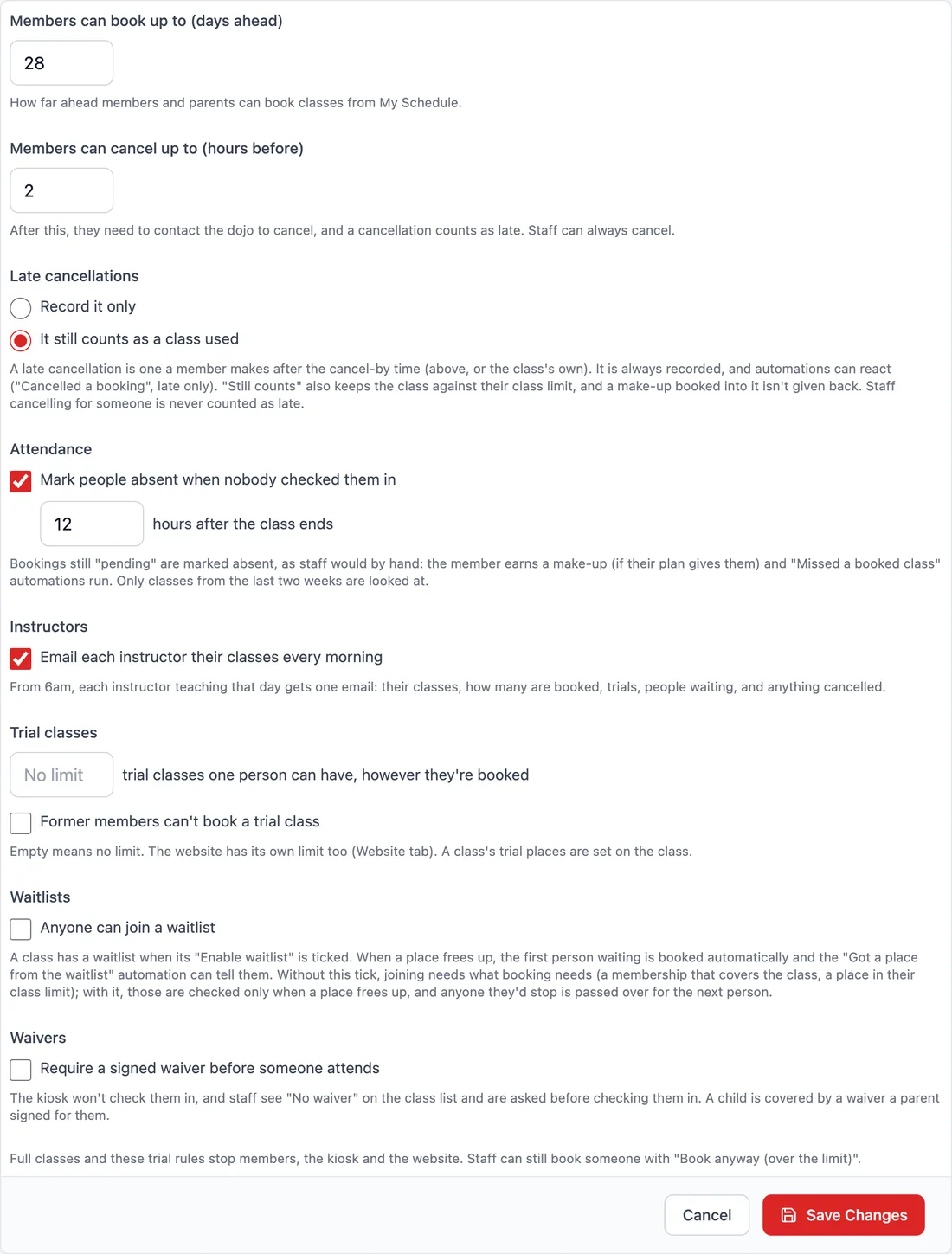
Most dojos want one rule for how far ahead members can book and how late they can cancel, and that’s the default. Some classes are different, though. You might want sparring to close three hours before it starts so the instructor can plan pairs, or a black belt class that only opens a week ahead. Each class can now set its own times, and staff are never held to them.

A late cancellation is one a member makes after that cut-off. Each dojo chooses what that means: either it’s simply recorded, or it still counts as one of their classes for the week. Either way it can start an automation, such as a friendly reminder of the policy. When staff cancel on someone’s behalf, it’s never counted against them.
There’s also an option to mark people absent when nobody checked them in. A set number of hours after a class ends, anyone still showing as “booked” is marked absent, exactly as if an instructor had done it. That means make-up classes are earned and “we missed you” messages go out without anyone remembering to do it.
Reminders, confirmations and a morning email for instructors
Booking confirmations and the day-before reminder could have been two more settings. Instead they’re ready-made automations: switch them on, and change the wording, timing, or email or SMS like any other automation. The same goes for the “you’re in” email when someone gets a place from the waitlist.
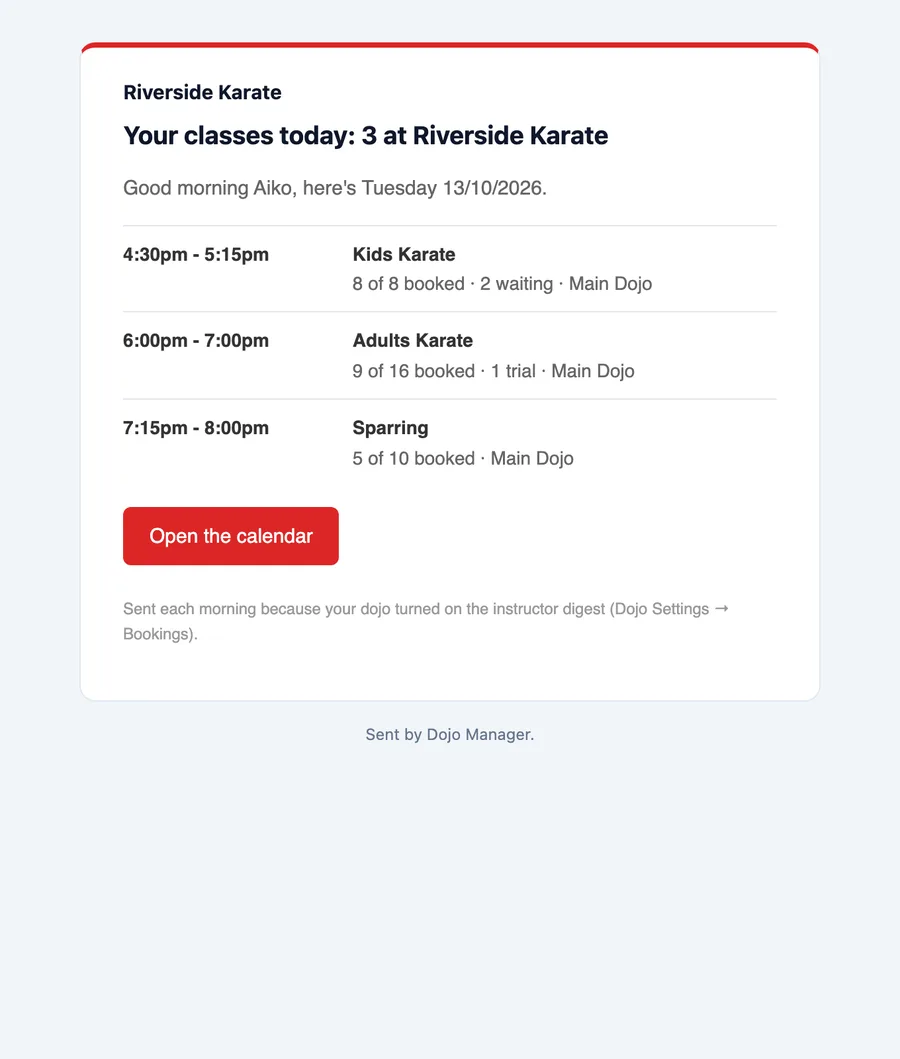
Instructors get something simpler: one email each morning listing the classes they’re teaching that day. It shows how many people are booked, how many are trials, who’s waiting, and anything that’s been cancelled. It’s the summary an instructor would otherwise have to look up before leaving home.
What’s next
This finishes the booking rules. It was built in four parts, each checked by its own set of automated tests (94 checks in all), with earlier tests run again each time. A few problems only showed up while taking these screenshots: a cancelled class hid who had been booked, and the instructor’s email repeated its own heading. Both were fixed before this post.
Next come some smaller pieces, then push notifications on members’ phones. If you missed it, the first look at grading in Dojo Manager covers belts, theory tests and grading day. If you run a dojo and would like to hear when Dojo Manager is ready, get in touch.