


Dojo Manager is the app I’m building to run our karate dojo, Sunshine Coast Karate, and when it’s ready it will also be offered to other karate dojos as an online service. The first big part I want to show before launch is grading: knowing who’s ready, inviting them, collecting the fee, theory tests, belt sizes, and promoting everyone on the day. Every screenshot below comes from a test dojo filled with made-up students.
Gradings are the busiest weeks of a dojo’s year. The work isn’t on the mat. It’s the spreadsheet of who’s ready, the chasing of replies and fees, the stack of theory papers, and the box of belts in the wrong sizes. That’s what this part of Dojo Manager is for.
Who’s ready for their next belt?
Each rank says what it takes to get there: how many classes since the last grading, how many months at the current belt, and what the student needs to know. A rank can also add its own rules, such as an active membership or a minimum age. The Grading Summary then lists every student with their rank, how long they’ve held it, how many classes they’ve done since, and either Ready or exactly what’s still missing: “6 more classes · from 12 Nov”.
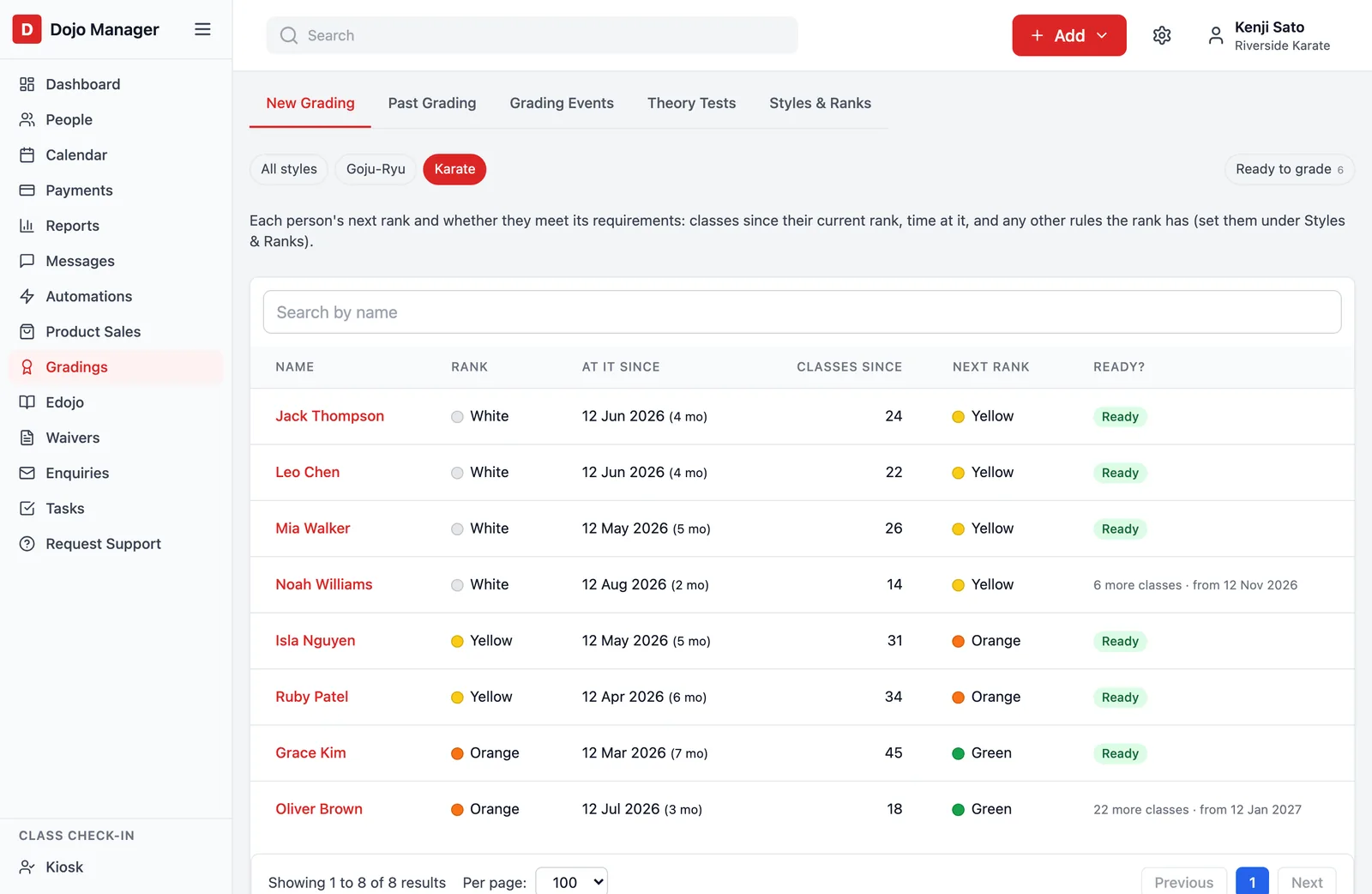
Classes only count if the student was marked present, and attending a grading doesn’t count towards the next one. It sounds obvious, but I only noticed it when a student who’d just been promoted showed one class towards their next belt.
Invitations that collect the answers for you
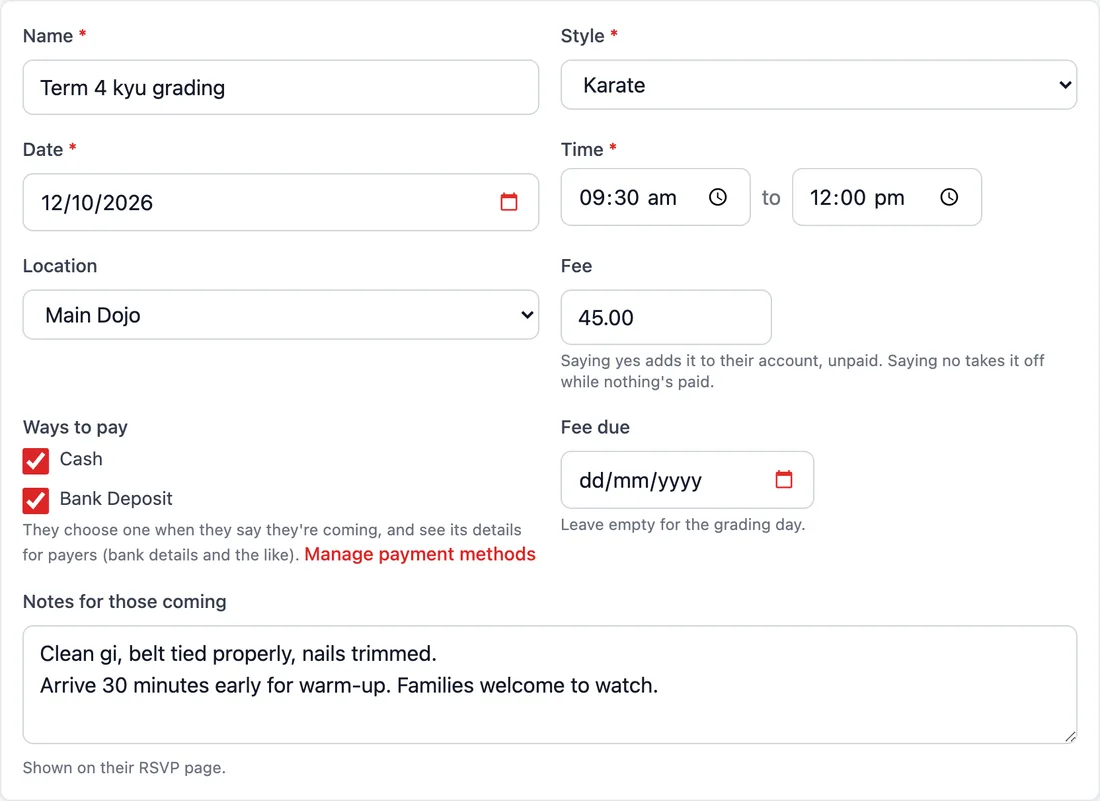
Setting up a grading takes a minute: the date and time, the style, a fee, how it can be paid, notes for families, and whether it’s by invitation only (as ours is) or open to anyone who’s ready. The invitation is a message from the dojo with a personal link in it. Students and parents don’t need to sign in or remember a password. The link opens their own page: their current and next belt, the notes, and “I’m coming” or “I can’t come”.
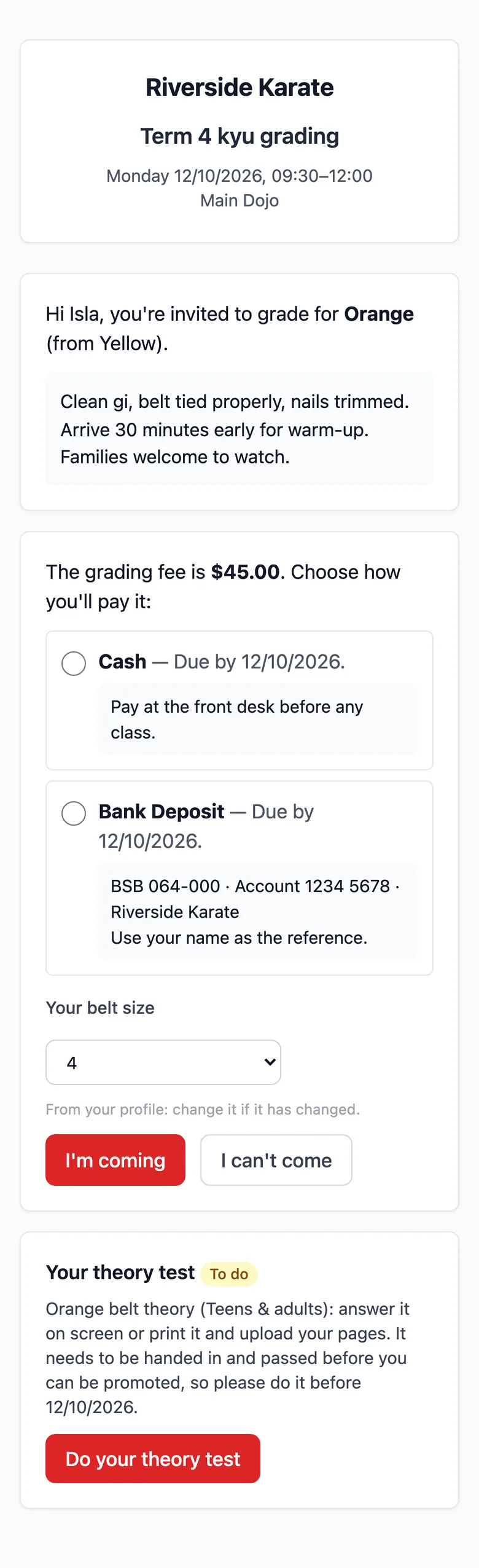
The fee, with no chasing. Saying yes puts the grading fee on their account. The dojo chooses which ways to pay it can take, and the student picks one, with the details right there: the bank account and what to put as the reference, or “pay at the front desk”. If the dojo takes payments automatically, they can choose the card or bank account it already has, and the fee is taken on the due date. If that fails, it’s tried again (every three days, twice, unless the dojo changes it), and the person who pays is emailed with a button to update their details.
The right belt sizes. The page asks for their belt size, already filled in from their file. If they’ve grown, they change it, and their file is updated too. The dojo’s sizes are 1 to 7 to start with, and it can add its own.
Replies, without the reminders. A grading can have a reply-by date, and no answer by then can count as “not coming”. A “Remind” button messages only those who haven’t replied. Anyone coming is booked onto the calendar, so the usual roll call marks who turned up.
Theory tests, on screen or on paper
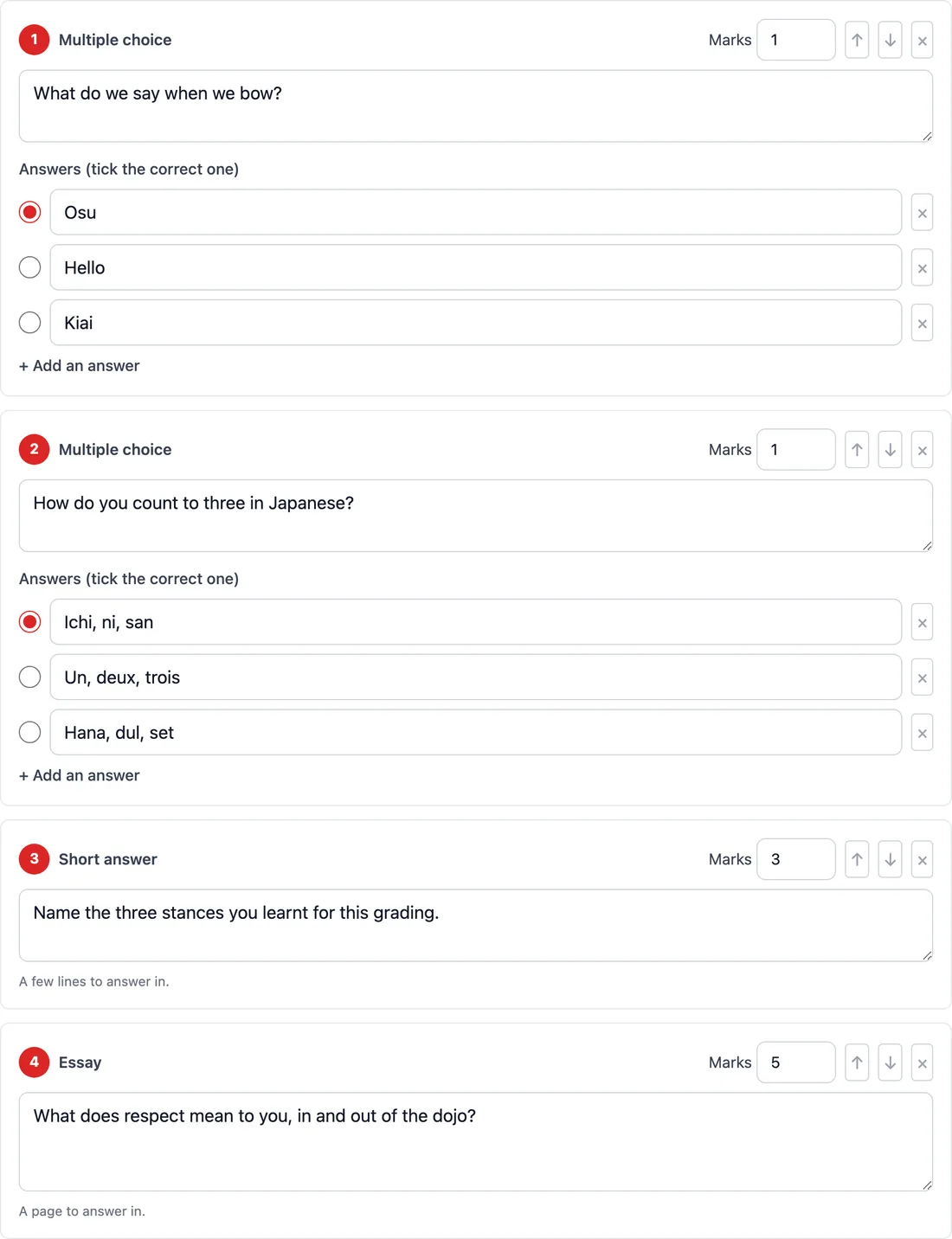
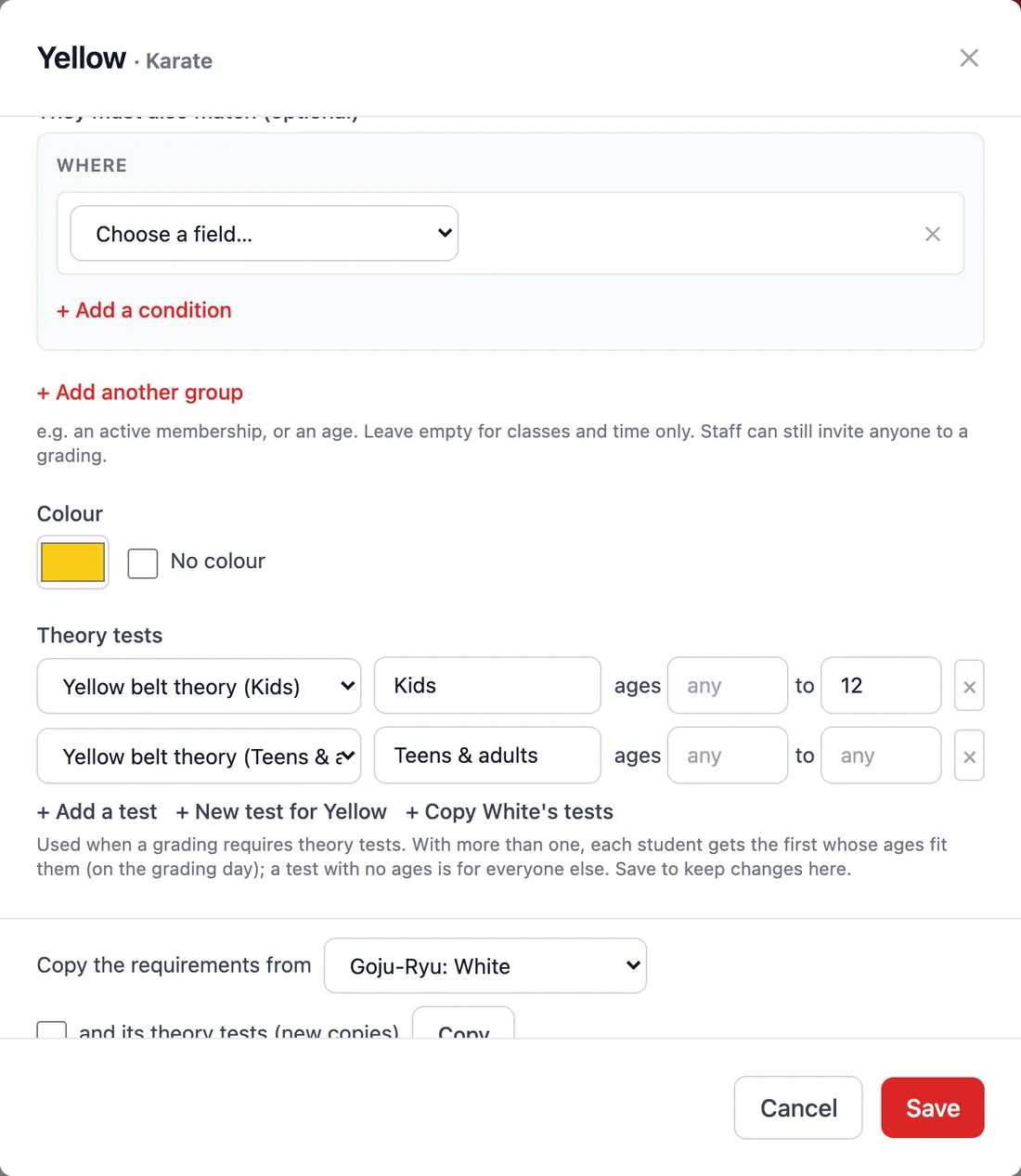
Many dojos ask students to answer a few questions before they grade: what the words mean, the stances, the dojo kun. Dojo Manager lets each rank have its own theory test, with multiple-choice, short-answer and essay questions. A rank can have more than one, by age. Our Yellow belt has one for kids up to 12 and one for teens and adults, and each student automatically gets the one that fits them. When you write the next belt’s test, you can start from a copy of the one before.
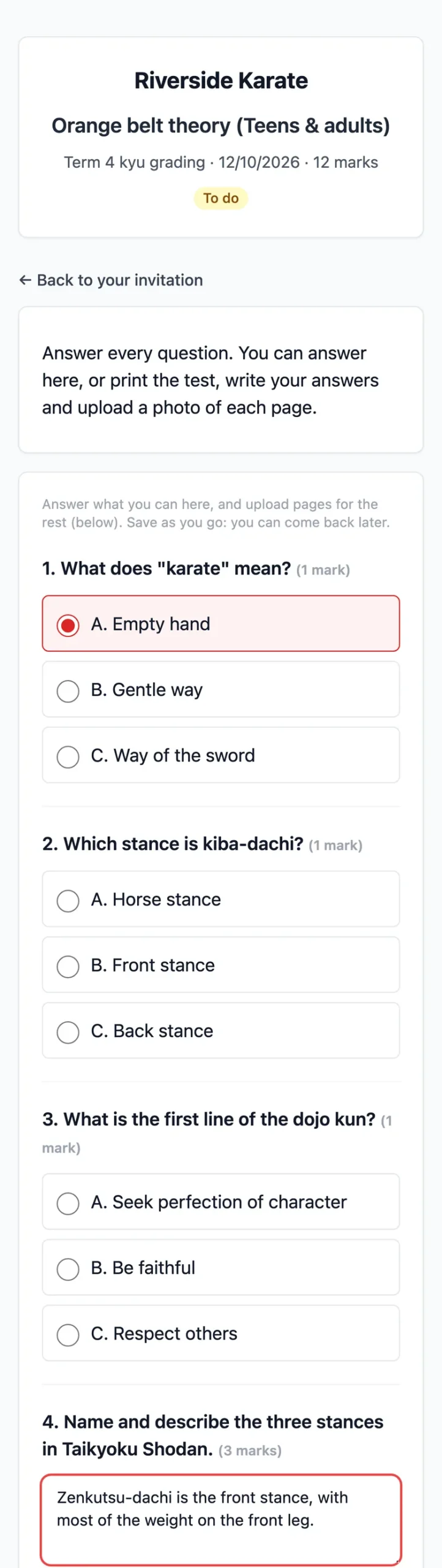
Students find their test on their invitation page. They can answer on screen, save it, and finish it later. Or they can print it, already headed with their name and the belt they’re going for, write their answers, and take a photo of each page with their phone. Often it’s a bit of both: tap the multiple-choice answers, and write the essay by hand.
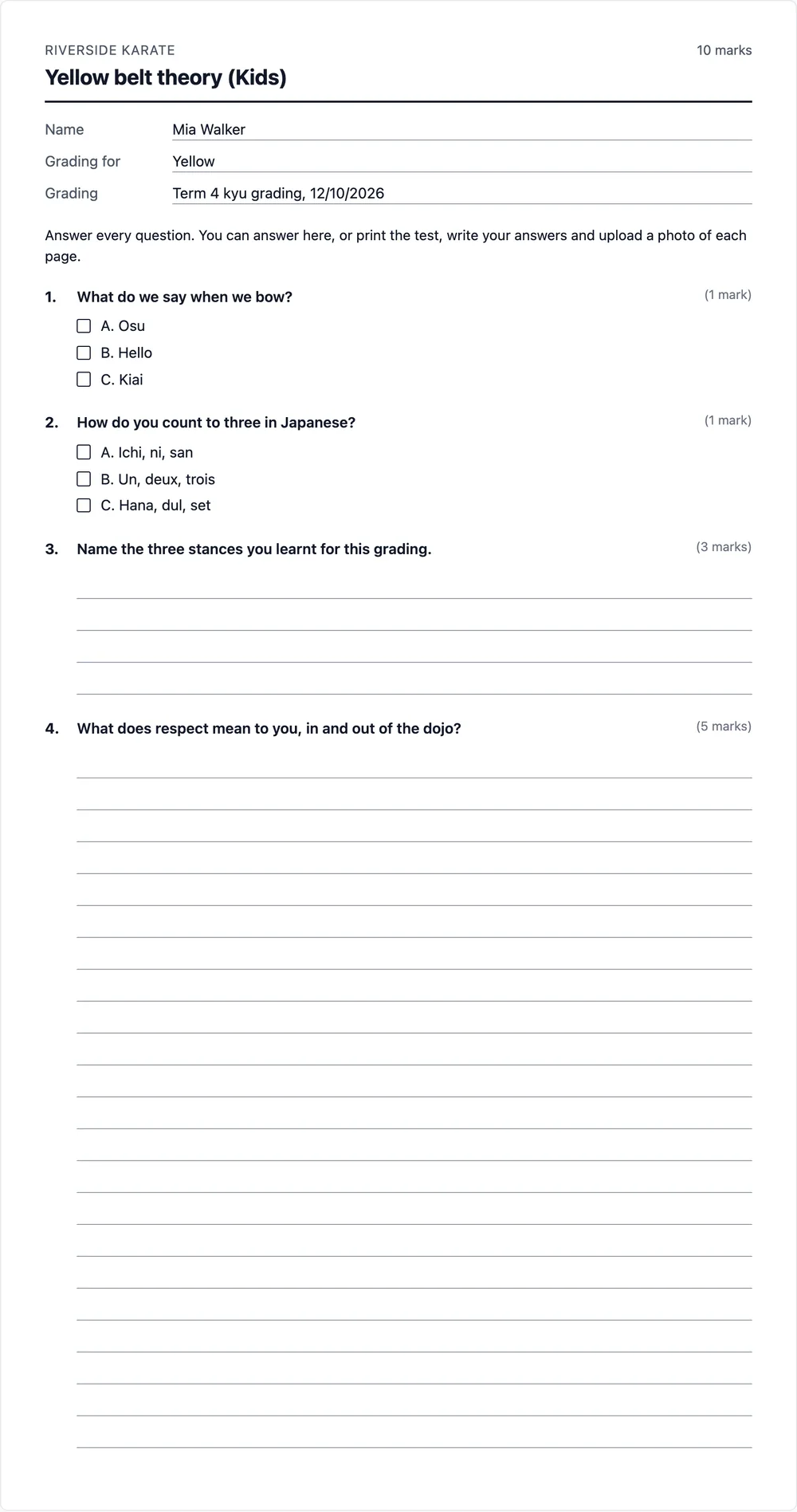
Phone photos are big, and a dojo might collect hundreds of them a year, so each one is shrunk on the phone before it’s sent. It’s then saved at a size made for reading a page on screen. In testing, a 2.2 MB photo became a 57 KB image that was still easy to read, turned the right way up even when the phone was held sideways. The pages are kept private: only the student’s own link and the dojo’s staff can open them.
Marking, and no promotion without a pass
On the grading’s page, each student’s test shows where it’s up to: not started, started, handed in, needs work or passed. Opening one shows their multiple-choice answers already marked, their written answers, and the pages they photographed. You mark it Passed, or send it back with Needs more work and a comment saying what to fix. The student sees your comment and can hand it in again. Students never see the marks or the correct answers, just whether it’s passed.
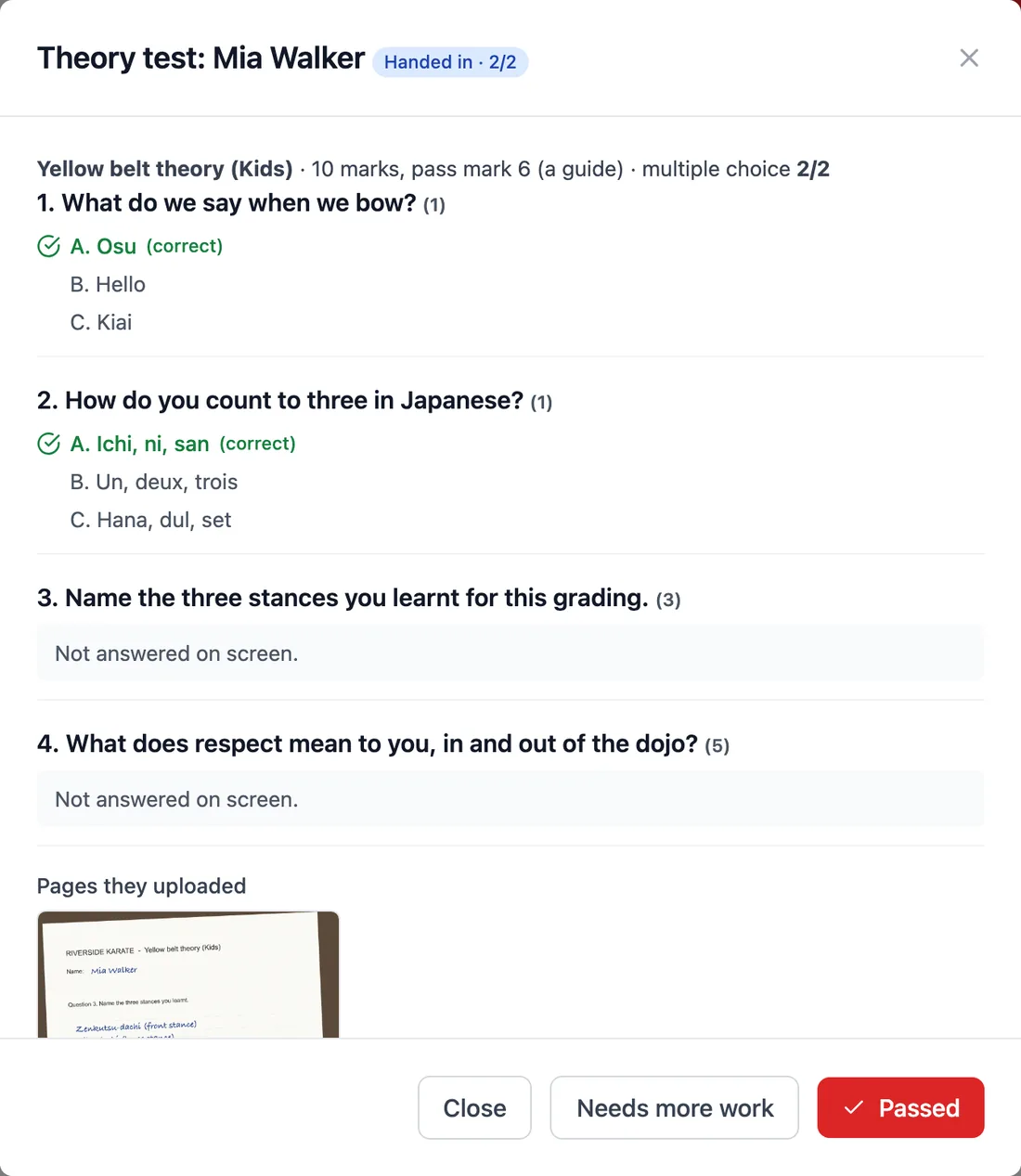
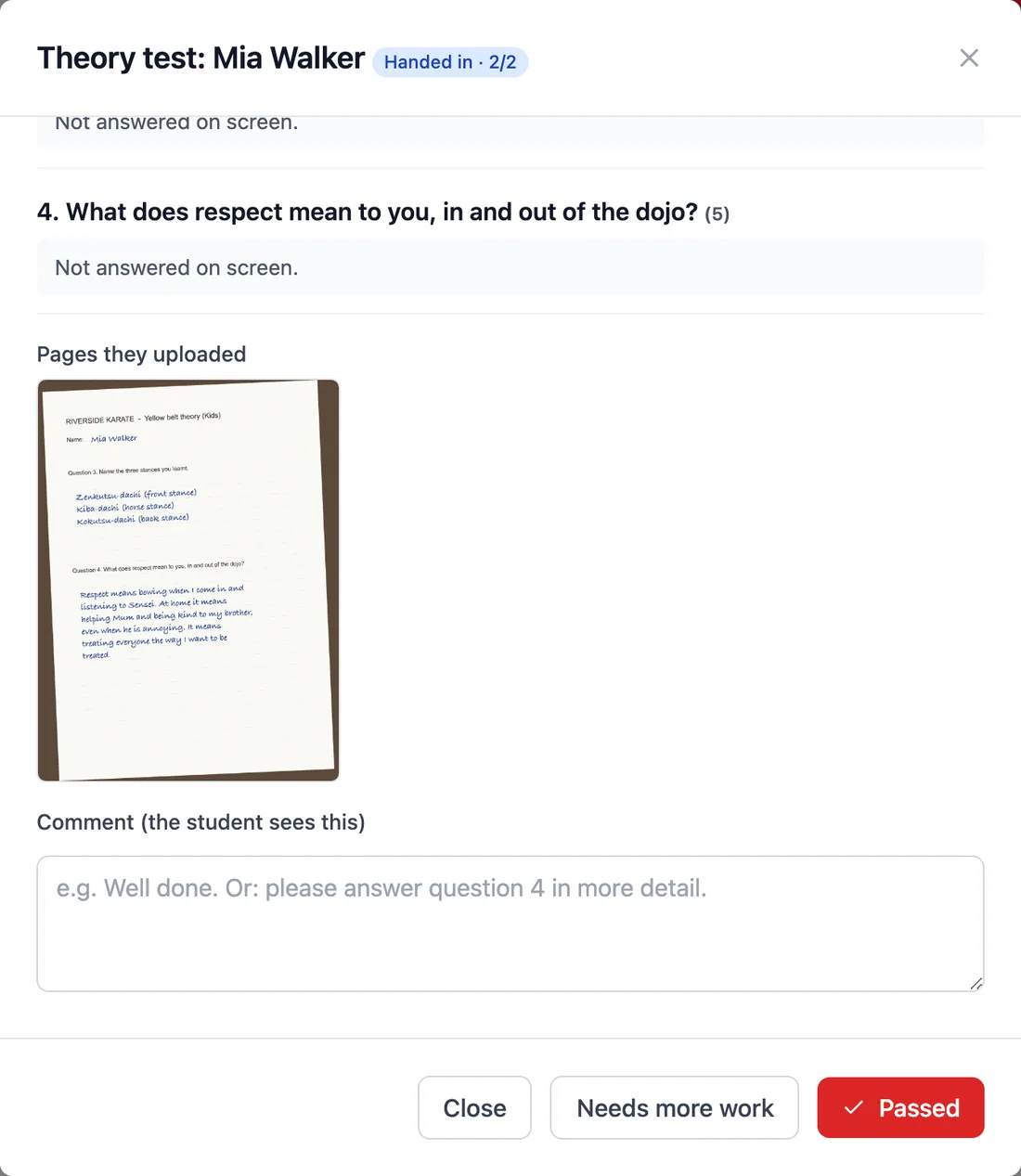
If a grading requires theory tests, nobody can be promoted until theirs has been handed in and passed. That rule came from our own dojo: the test is part of the grading, not an optional extra, and it shouldn’t be possible to forget it in the rush of the day.
On the day
The grading’s page brings it all together: who’s coming, their theory test, whether they’ve paid, and whether they turned up. At the top is a count of the belts you’ll need, by colour and size, so the right belts are in the box before anyone ties one on. Afterwards you tick everyone who passed and press Promote ticked. Each student moves up a belt, dated the day of the grading and recorded in their history. Anyone whose theory test isn’t signed off is skipped, with the reason shown.
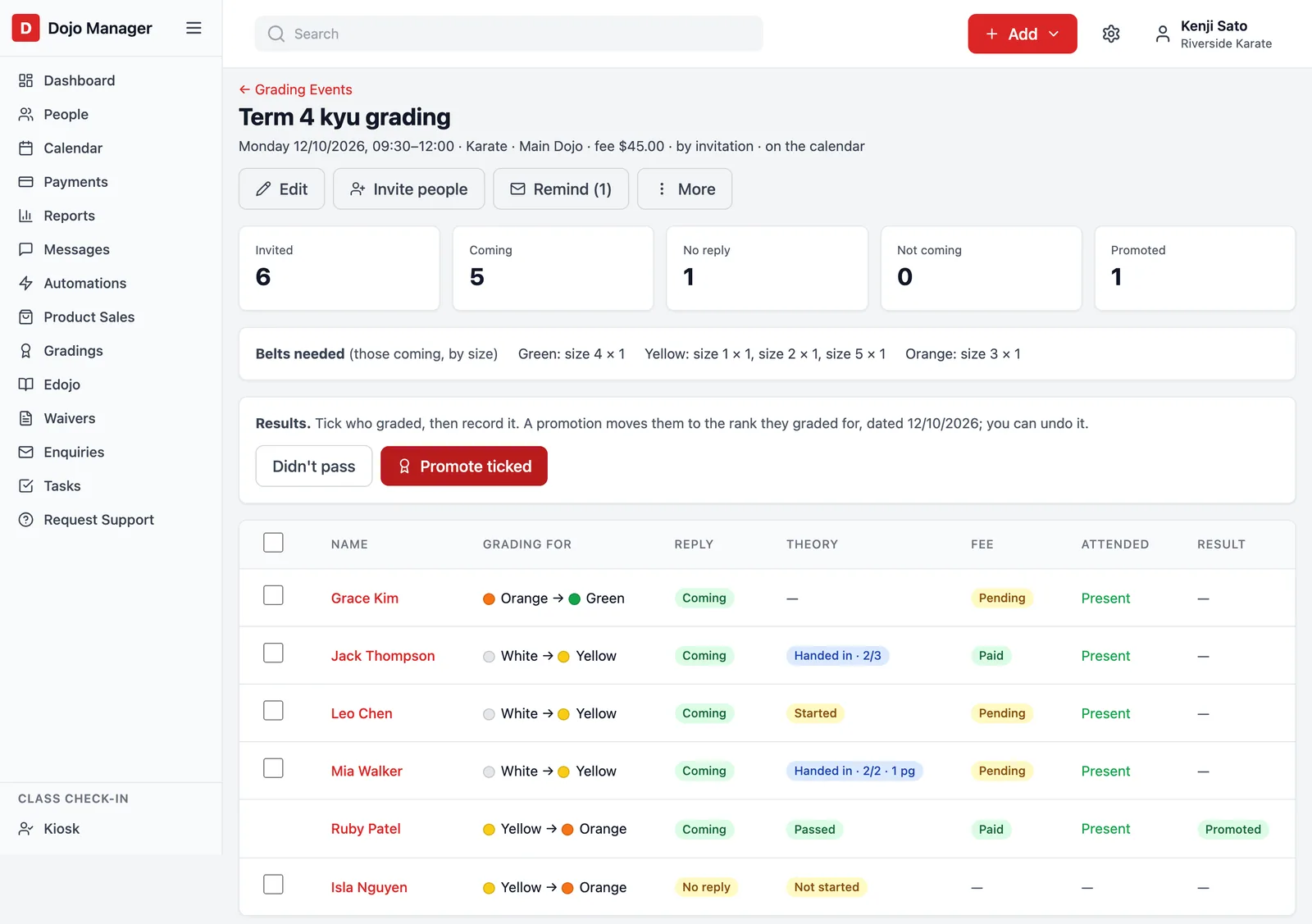
Mistakes happen on grading days, so every result has an Undo. It puts the student’s old belt back, along with the date they got it, as long as nothing has changed since. You can also message everyone who was promoted, export the whole list to a spreadsheet, or cancel the grading, which removes it from the calendar and takes unpaid fees off everyone’s account.
What’s next
Grading is one part of Dojo Manager. It also covers members and families, classes and bookings, memberships and payments, waivers, messages and more, and I’ll write about those as they’re finished. We’ll use it at our own dojo and across our organisation first, then open it to other karate dojos. If you run a dojo and would like to hear when it’s ready, get in touch. And if you’re curious how our dojo’s own website was rebuilt, that’s in Moving off a page builder: our karate school’s rebuild.


