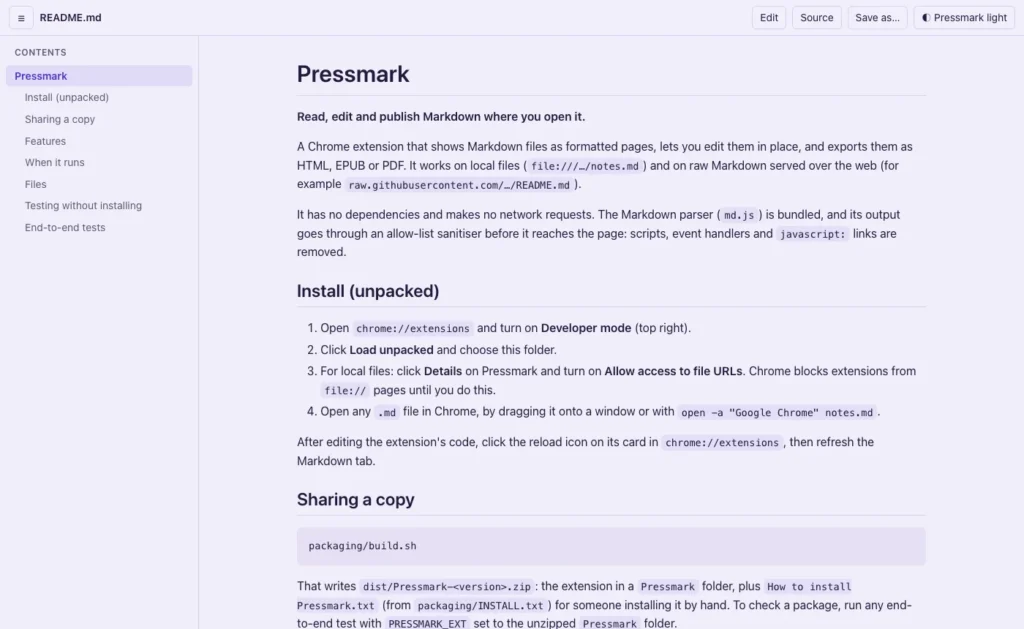
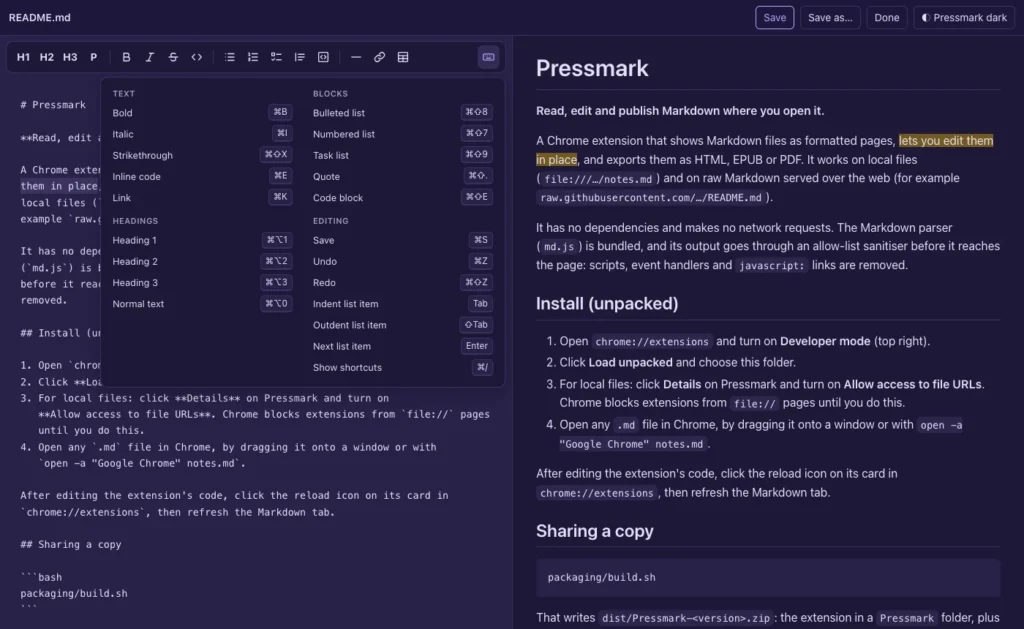
Pressmark is a Chrome extension that shows Markdown files as formatted pages, lets you edit them in place, and saves copies as HTML, EPUB or PDF. It works on files on your own computer and on raw Markdown on the web, and nothing you open ever leaves your computer.
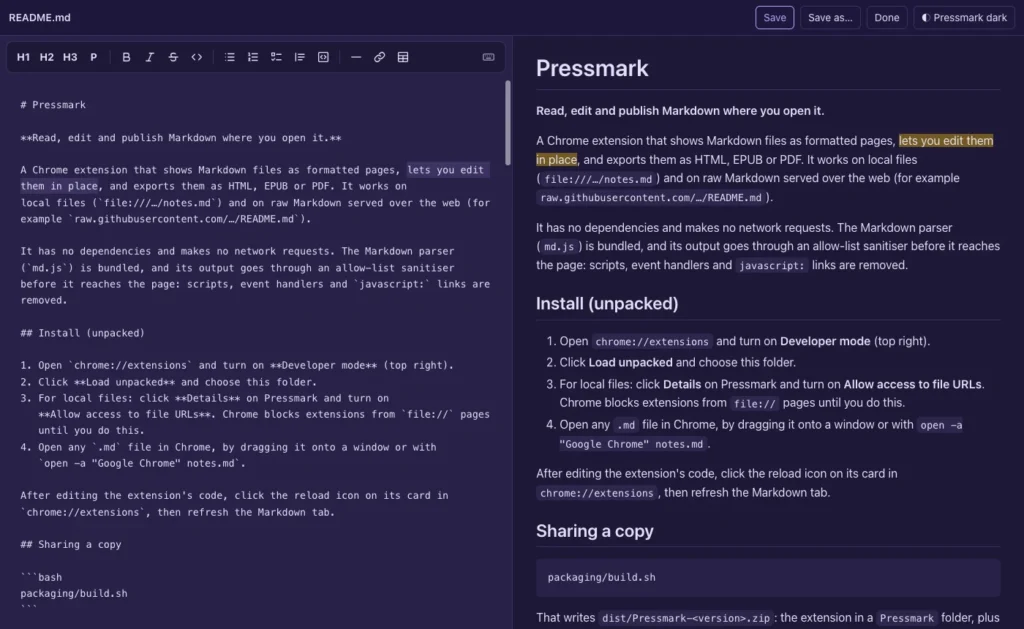
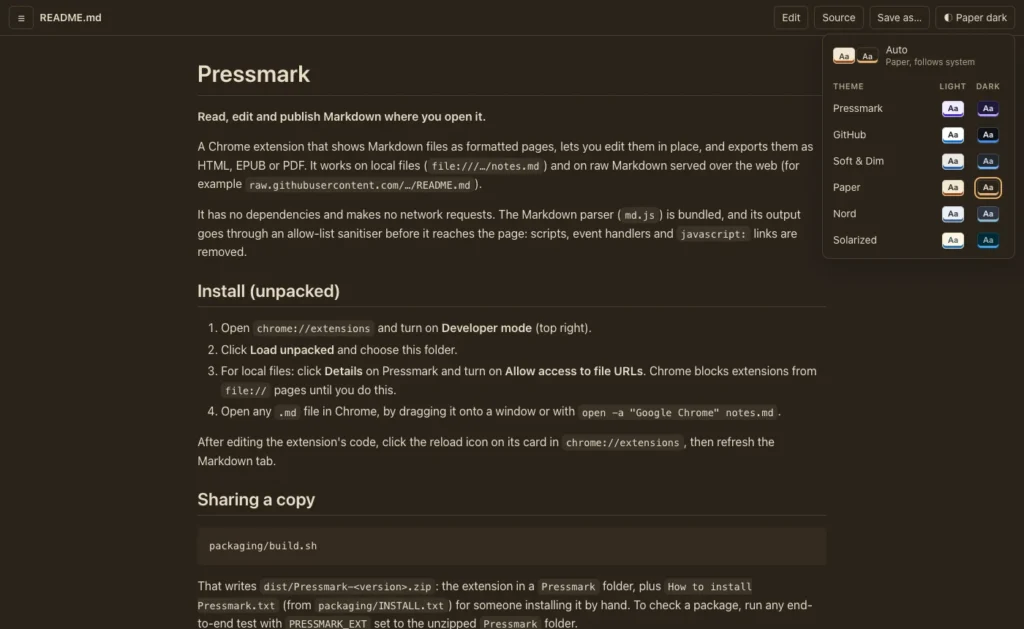
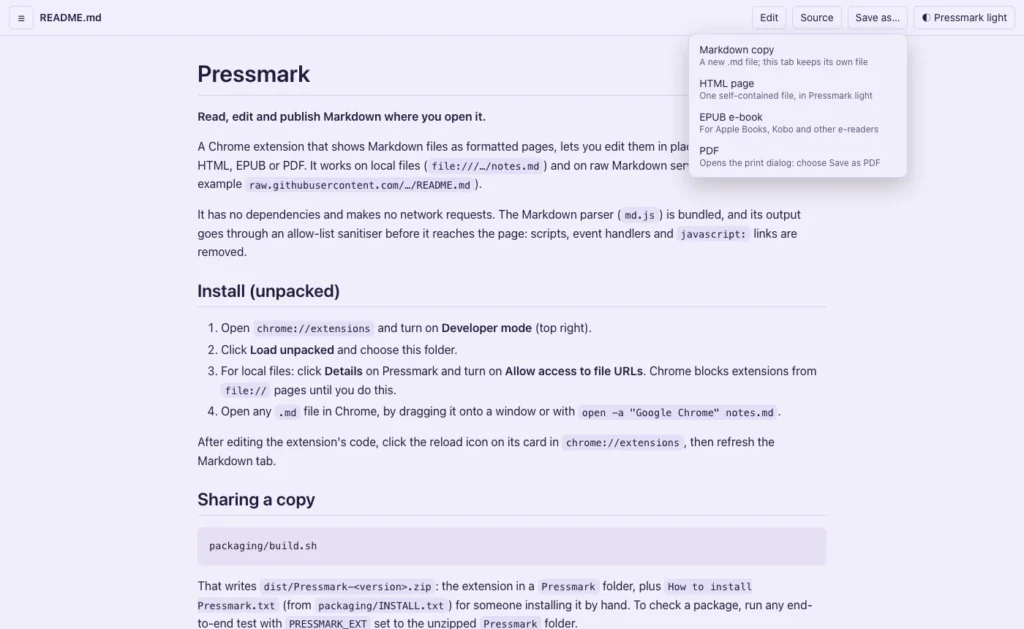
The pictures below are the real screens: the formatted reader, the editor with its live preview, the theme menu, Save as, and the shortcuts list.
Features
- Formatted Markdown: headings, tables, task lists, block quotes, GitHub-style alerts, links and images, with a contents sidebar for longer files
- Code samples coloured for 23 languages
- Edit in place beside a live preview, and save straight back to the file
- Selections that follow you between the editor and the preview, and between the formatted page and the source
- A formatting toolbar and the usual shortcuts (⌘B, ⌘I and more), with undo
- Save as a Markdown copy, a self-contained HTML page, an EPUB e-book with chapters, or PDF
- Twelve colour themes in six light and dark pairs; Auto follows your system
- No account, no network requests, no tracking
Install
Pressmark is on its way to the Chrome Web Store. Until then, download the zip and install it by hand. It takes about two minutes, and the full instructions are inside.
- Unzip the download and move the Pressmark folder somewhere it can stay.
- In Chrome, open
chrome://extensionsand turn on Developer mode. - Click Load unpacked and choose the Pressmark folder.
- To open files on your computer, click Details and turn on Allow access to file URLs.
- Open any .md file in Chrome.
It also works in Microsoft Edge, Brave and Arc. When it reaches the Chrome Web Store it will install in one click and update itself.
Requirements
A recent version of Chrome, or another browser built on it, on Mac, Windows or Linux.
How it was built, from the first request to the EPUB checks: Building Pressmark, a Markdown editor for Chrome.