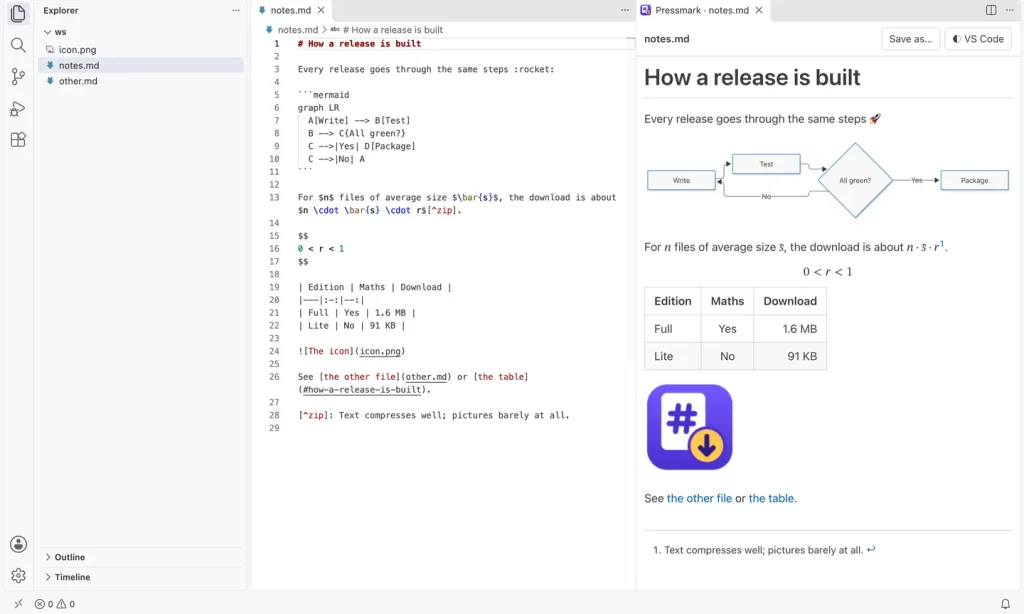
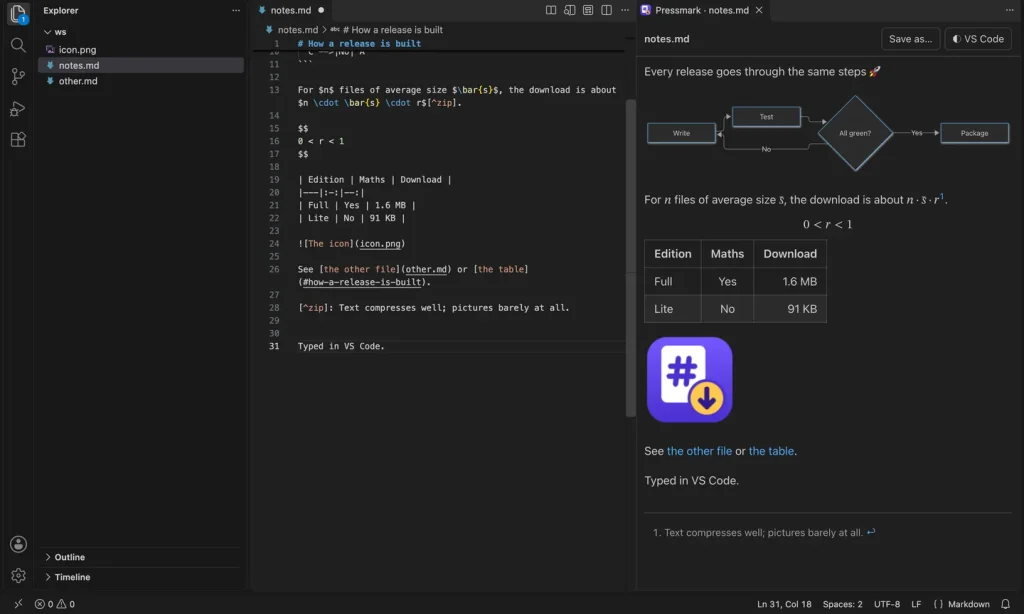
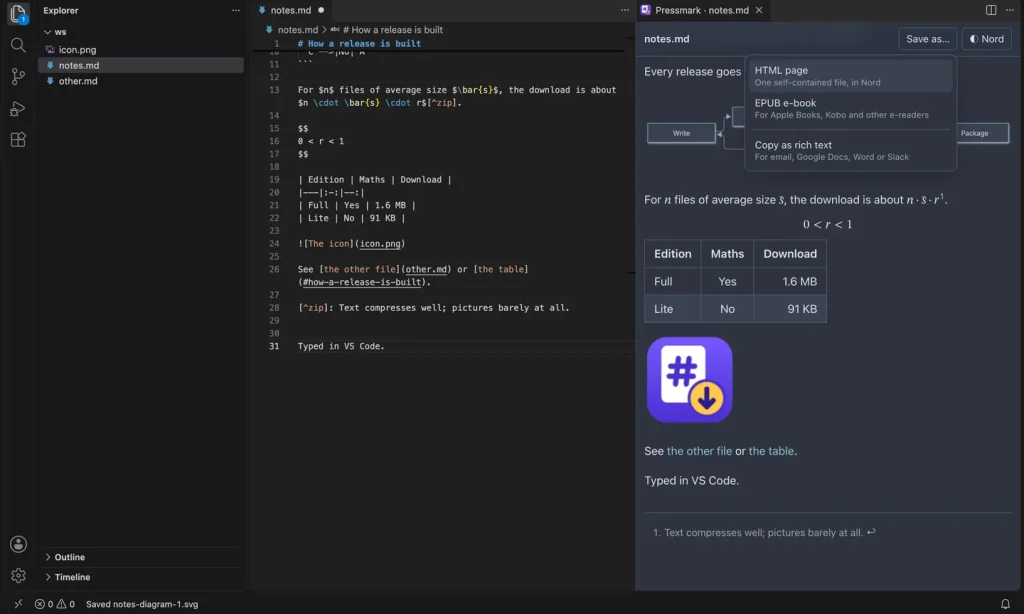
Pressmark for VS Code is a Markdown preview that sits beside the file you’re editing. It draws maths and Mermaid diagrams in your VS Code theme’s colours, and saves your document as an HTML page or an EPUB e-book, or copies it as rich text to paste into email, Google Docs, Word or Slack.
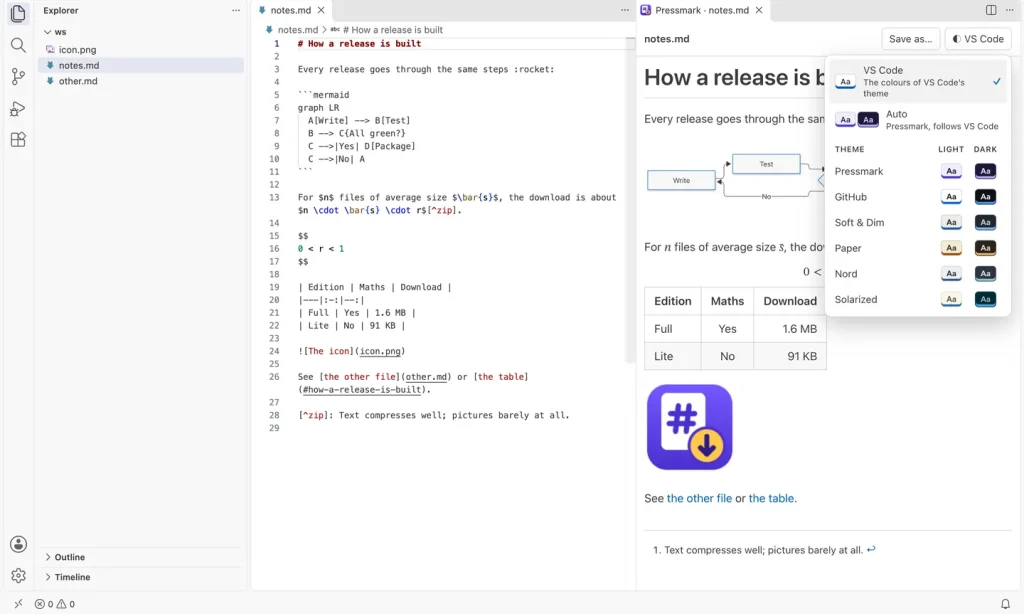
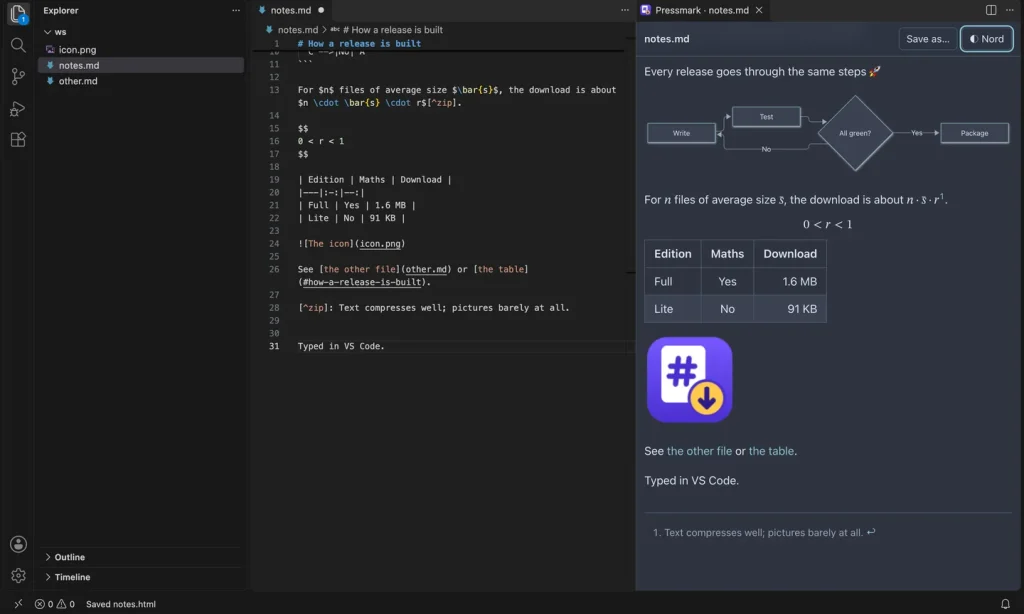
It runs on the same document engine as Pressmark for Chrome, so a file looks the same in both. The pictures below are the real screens: the preview in a light and a dark VS Code theme, the theme menu, the Nord theme, and Save as.
Features
- A preview beside your file that follows the Markdown file you’re editing, updates as you type and scrolls with the editor; double-click it to jump to that line
- Maths and diagrams: formulas between dollar signs are typeset, and Mermaid flowcharts, sequence diagrams and charts are drawn in your theme’s colours, ready to save as SVG or PNG
- Tables, task lists, footnotes, GitHub-style alerts, emoji shortcodes, code coloured for 23 languages, and pictures from the same folder
- Your VS Code theme: the preview takes its colours from the theme you use and follows it when you switch; twelve Pressmark themes and Auto are in the menu too
- Save as a self-contained HTML page, or an EPUB e-book with chapters and your pictures inside
- Copy as rich text, to paste formatted into email, Google Docs, Word or Slack
- Line Up Table Columns pads a Markdown table so its columns line up in the source
- No account, no tracking, and nothing you write is sent anywhere
Install
Pressmark for VS Code is on its way to the VS Code Marketplace and Open VSX. Until then, download the zip and install the extension from the file inside. It takes a minute.
- Unzip the download.
- In VS Code, open the Extensions view and click the … menu at its top.
- Choose Install from VSIX… and pick
pressmark-1.0.0.vsix. - Open a Markdown file and click the book icon at the top right of the editor.
Requirements
VS Code 1.90 or later, on Mac, Windows or Linux.
Pressmark is free and open source, under the MIT licence.