


I have two Android games nearly ready: Dodgy Cat, where a small cat dodges everything black, and 2048 Multiverse, which takes 2048 into a 3D cube, a slingshot and sliding blocks. Before they go on the Play Store I want a few people to play them and tell me what’s wrong.
Handing out test versions is easy. Taking them back is the hard part. An Android test build is just a file, and once it’s on someone’s phone it works for ever: after the next version comes out, after the game is in the store, after testing has finished. So I wanted three things:
- a limited number of tester places for each game,
- test versions that switch themselves off when a newer one comes out or the game goes on sale,
- and a way for testers to tell me what they think without leaving the game.
All of it now lives in a plugin on this site, AccessNow Pre-release, plus a small piece of code in each game.
Signing up for a place
A game in testing gets a signup form on its project page, showing how many places are left. You enter your email address, confirm it, and get a tester code and your own private page with the download.
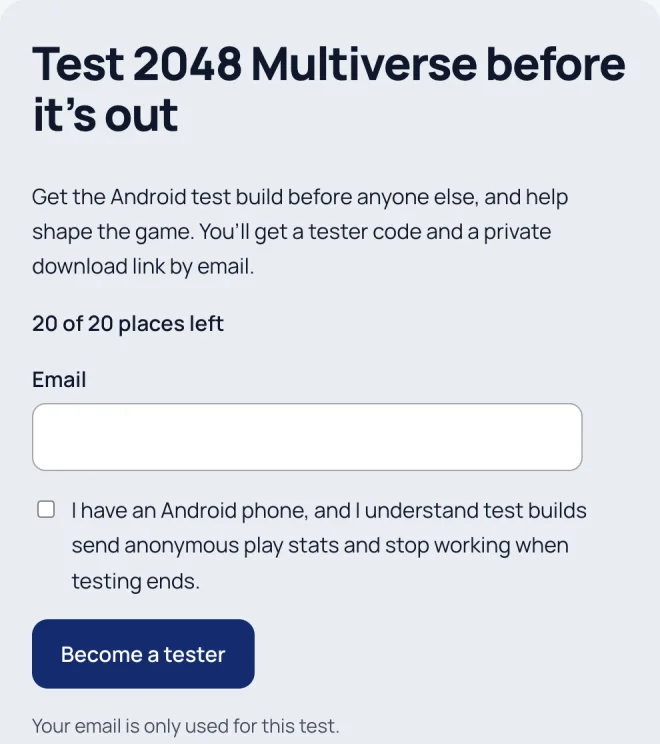
Three small decisions do most of the work here:
- A place is only taken once you confirm. Otherwise a few mistyped or made-up addresses could fill a game.
- Confirming is a button, not just opening the link. Email security scanners open every link in a message to check it, and they’d have been confirming people who never clicked.
- The form gives the same answer whatever address you type, so nobody can use it to find out who’s testing.
The confirm button had a bug that only a real browser found. A tidy-up function turned the request type into lower case, so the check for “POST” never matched and every confirmation was treated as someone just looking at the page. Over a hundred automated checks passed. The first time I signed up in a browser, nothing happened.
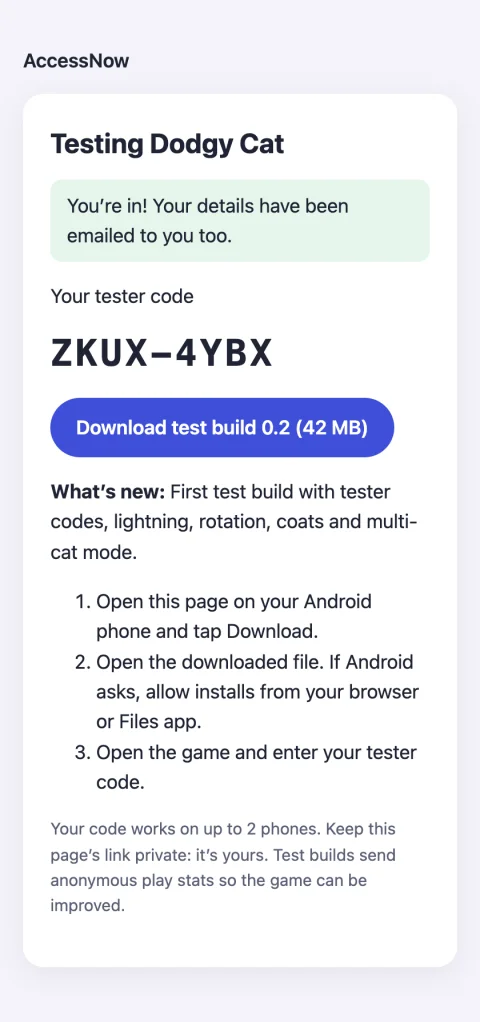
The games are still hidden from the projects directory, and hidden or “Coming Soon” projects here never show a download link. This is the one exception, and it’s narrow: the file is only ever offered on a confirmed tester’s own page.
A test version that knows when to stop
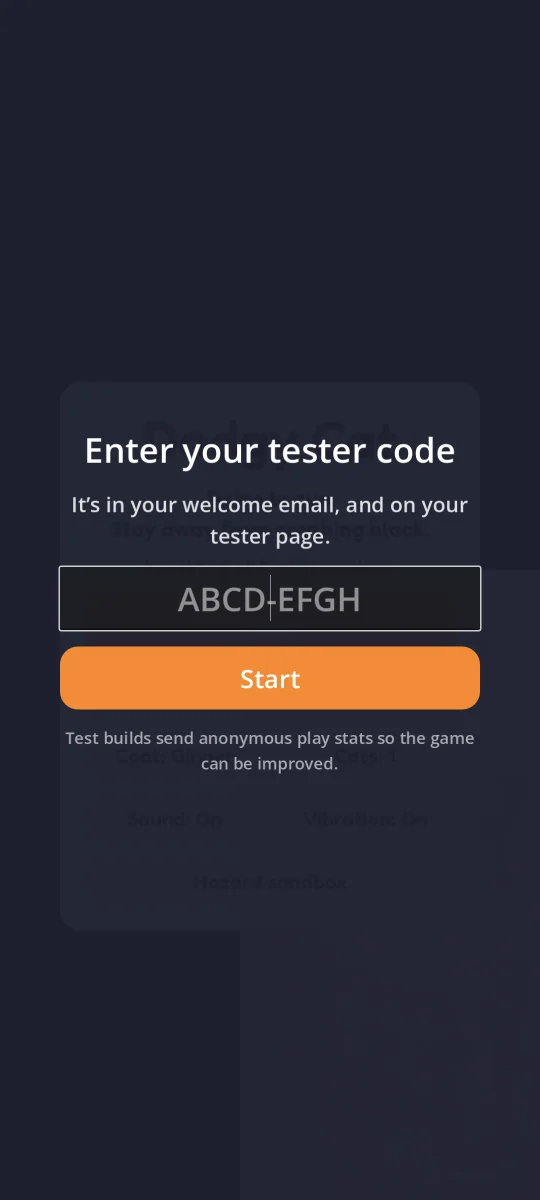
The first time a test version opens, it asks for the tester code. After that it checks in with this site every time it starts and every six hours, and the site answers with one word. “ok” means play. Anything else locks the game with a message and a button:
- A newer test version is out: the button takes you to your page to get it.
- The game is on the Play Store: the button takes you there. The site looks the game up on the Play Store every day, so I don’t have to remember to switch testing off. I can also flip a “Released publicly” switch myself.
- Testing has closed, the code was turned off, or it’s on too many phones.
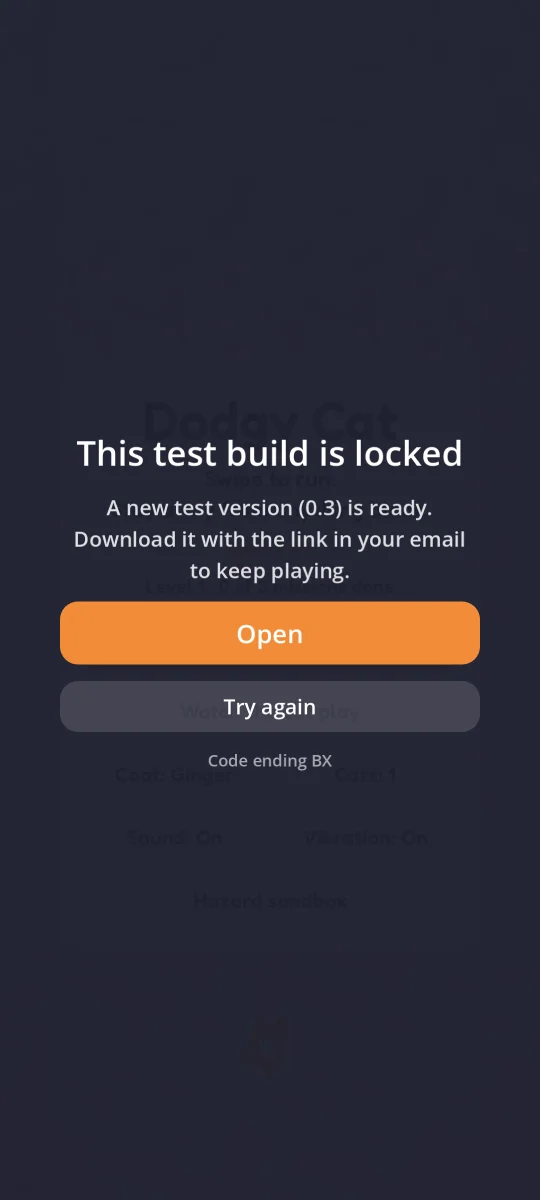
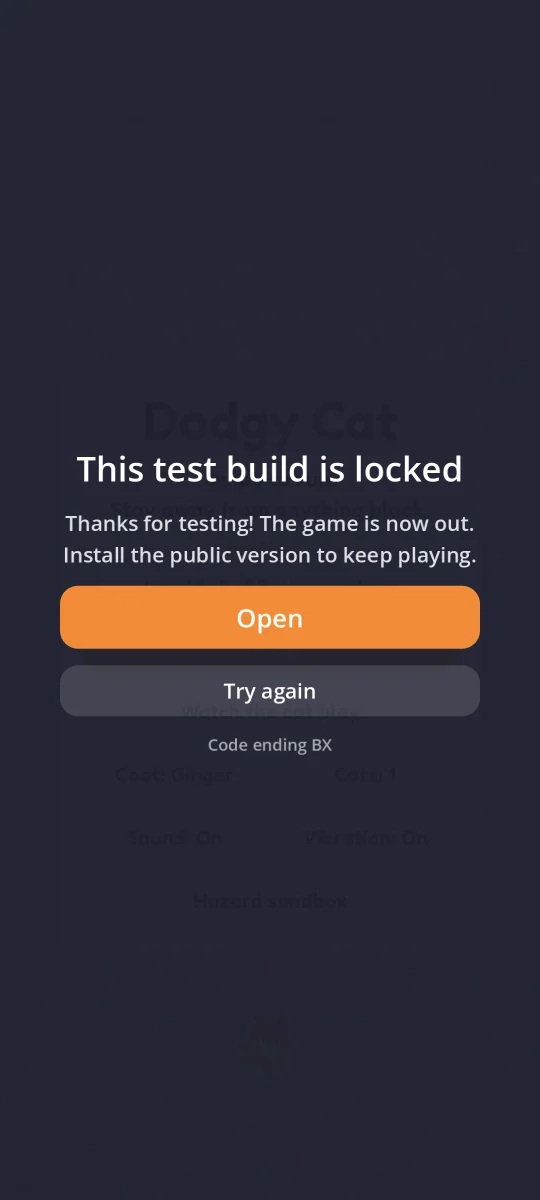
Phones aren’t always online, so a test version keeps working for a week after its last successful check-in. After that it locks until it can check in again. A week is long enough for a holiday without signal, and short enough that an old version can’t hang around for months.
The gap I nearly shipped
Halfway through, I found that both games already had testing switched on and test versions uploaded, from early runs of the plugin. Neither had the check-in code yet. If anyone had installed one, it would have been exactly the file I was trying to avoid: a test version that never stops.
So now an uploaded test version doesn’t count until a copy of it has checked in with the site. That proves the switch-off code is inside it. Until then it isn’t offered to anyone, it doesn’t replace the previous version, and the signup form just says testing opens soon. It’s a rule I’d never have thought to write down before I nearly broke it.
Data that has to survive an update
This site is updated by building changes on a copy and then copying the whole thing over the live site with Site Replica. That replaces every table in the database except the ones I tick to keep. Testers sign up on the live site, and their phones check in there. So the first question for every piece of data was: which copy owns it?
Game settings and test versions come from my copy. Testers, their phones, check-ins, play statistics and feedback belong to the live site, in six tables I keep on every update. The trap was the very first update: the live site doesn’t have those tables yet, so there’s nothing to keep, and it would receive my copy’s test testers and check-ins. Those test check-ins would even count builds as proven that had never checked in with the live site.
The tables now remember which site they belong to. That’s stored as a fingerprint of the address rather than the address itself, because the copying tool rewrites addresses. When they arrive somewhere else, the admin shows a warning and a button to empty them. It deliberately doesn’t empty them by itself. If this site ever changed its own address, it would look exactly the same, and real testers must never disappear because of that.
Feedback without leaving the game
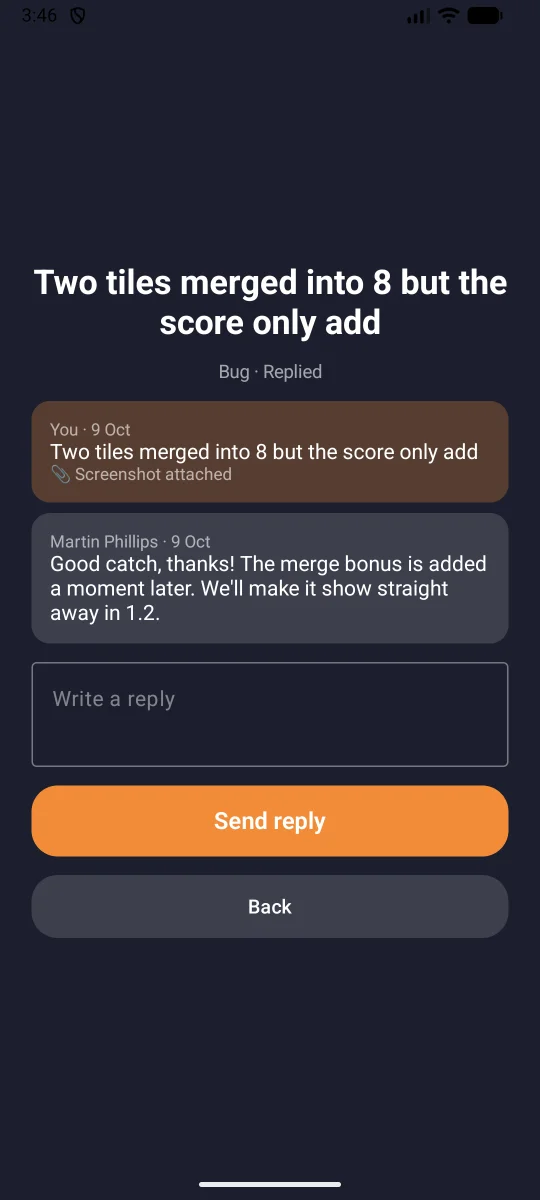
Test versions have a Send feedback button. A tester picks bug, idea or question, writes what happened, and can attach a screenshot of the game. Later they can read my reply and answer it, all inside the game.
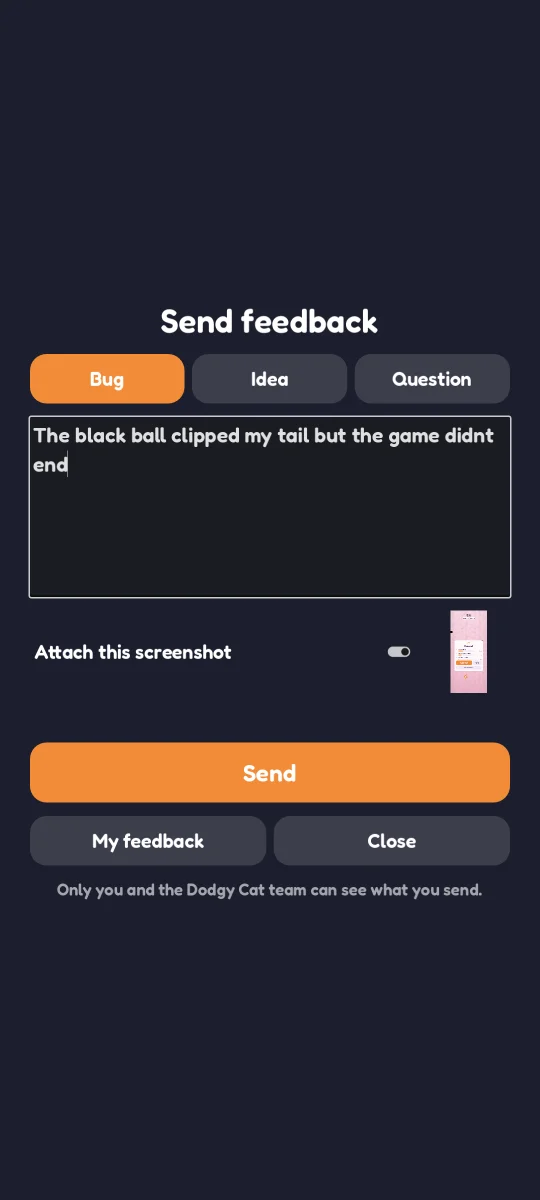
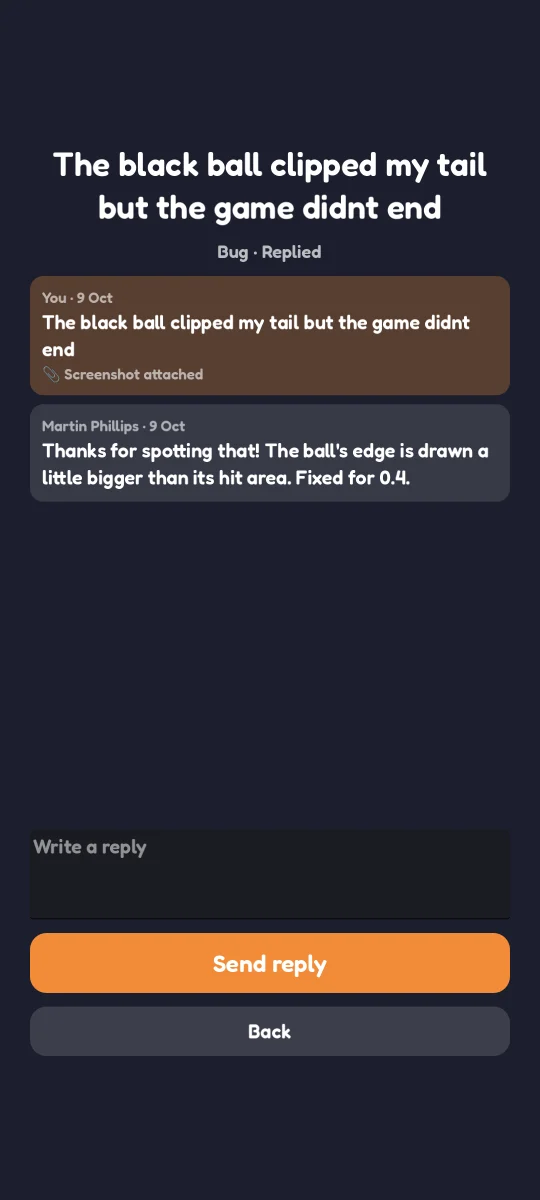
Every message becomes a request in Support, the help desk I built to sit inside my apps, each game with its own space there. Like any other request, it’s never shown publicly: only the tester and my support team can see it. Each message arrives with the details I’d otherwise have to ask for: the build, the phone, what the player was doing, and a summary of how they’ve played. “The cat got stuck” means a lot more when you can see they’ve played 40 games and the storm cloud ended most of them.
The game doesn’t hold the key to Support. Anything inside an app can be dug out by someone determined, so the game talks to this site and the site passes the message on. Testers aren’t asked for anything either. Each install has a random id that only ever goes to this site, and the site records which requests came from which install. Asking for anyone else’s gets nothing back.
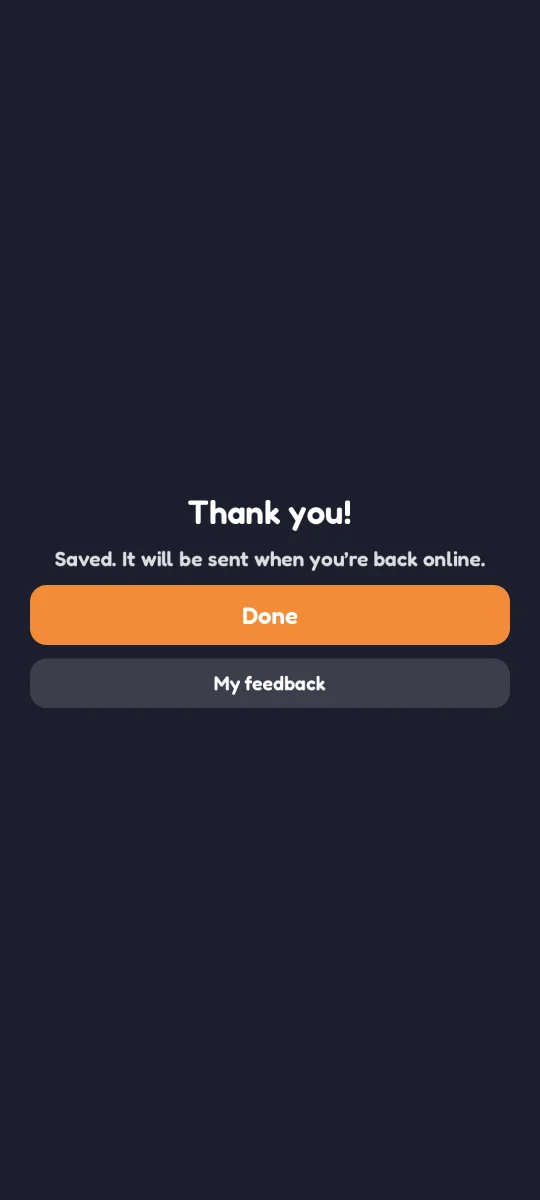
Games are often played offline, so a message that can’t be sent is saved and sent later. Each message carries its own id, so sending it twice never creates two requests. On the test phone I switched the network off, sent a message, and switched it back on. It arrived once, about 30 seconds later.
Running it on a phone turned up something no test had: the screenshot was of the wrong thing. If you paused, opened “End this game?” and chose “Keep playing”, the picture showed that question instead of the game. The game now keeps the picture from the moment it first paused.
I had planned to put the feedback button in every version of the games. But then the ordinary Play Store versions would need permission to use the internet, and 2048 Multiverse has never asked for that. So feedback, like the check-ins, is only in test versions, and the versions in the store stay offline.
Two games, two engines, one set of rules
Dodgy Cat is made with Godot and 2048 Multiverse with Kotlin, so the in-game part was written twice. Both speak to the same site in the same way and follow the same rules: the same week offline, the same lock messages, the same feedback screens. The Kotlin version is shared with the iPhone build too, for when that day comes.
Whenever a check guards something, I’ve also run it with the guard taken out and watched it fail. Do that for “another phone can’t read your feedback”, and three checks go red: a stranger could read it, a stranger could answer it, and so could the same phone through a different game. A check you’ve never seen fail doesn’t tell you much.
What’s next
Next comes the live site: Support gets its update, and each game gets its own space there. The plugin goes across with the six tables kept, and each game gets a fresh test version that includes feedback. Then the signup forms open. If you have an Android phone and want to help, watch the projects page.


