Sandra and I run Sunshine Coast Karate, a karate school in Maroochydore. For years its website was built with the Thrive Themes page builder, and by the time we started this rebuild it needed 15 plugins to run. This is the honest story of moving off a page builder. We rebuilt the site with a design of our own and a handful of small plugins, kept every address Google knows about, and launched it on 4 October 2026. It covers what we found, what we replaced, what nearly went wrong, and how launch day went.
Where we started
Before changing anything, we took stock. The site had 1,830 blog posts, 58 pages and 2.8 GB of photos and files. Every page had been built with Thrive, and three more Thrive products were installed but doing nothing at all.
The free trial form was the dojo’s main source of new students, and every booking went to an email inbox and nowhere else. One email that failed to arrive meant one family we never heard from.
It was also slow. Google’s speed test scored the site 55 to 57 out of 100 on a phone, and the main content took between 8 and 14 seconds to appear. The target is two and a half. Most of that weight came from the page builder itself.
Why you can’t just switch off a page builder
This is the part most people find out too late. 46 of our 58 pages were Thrive “landing pages”, which keep their real content in Thrive’s own storage. WordPress only holds a plain-text copy that leaves out the buttons, question-and-answer sections, forms, maps and videos. If we had simply switched Thrive off, 34 pages would have lost their menu, 31 their buttons, 16 their FAQs (including the home page and every program page) and 6 their forms.

So the new design couldn’t go live until every one of those pages had been rebuilt. Before you leave any page builder, find out where it keeps your content and what’s left if you turn it off.
Rebuilding page by page, at the same addresses
We worked on a copy of the site on my Mac and rebuilt each page in place: the same page, at the same address, with new content. Visitors to the real site kept seeing the old version, untouched, right up to launch. Because no address changed, there was nothing to redirect and no menus to rewire.
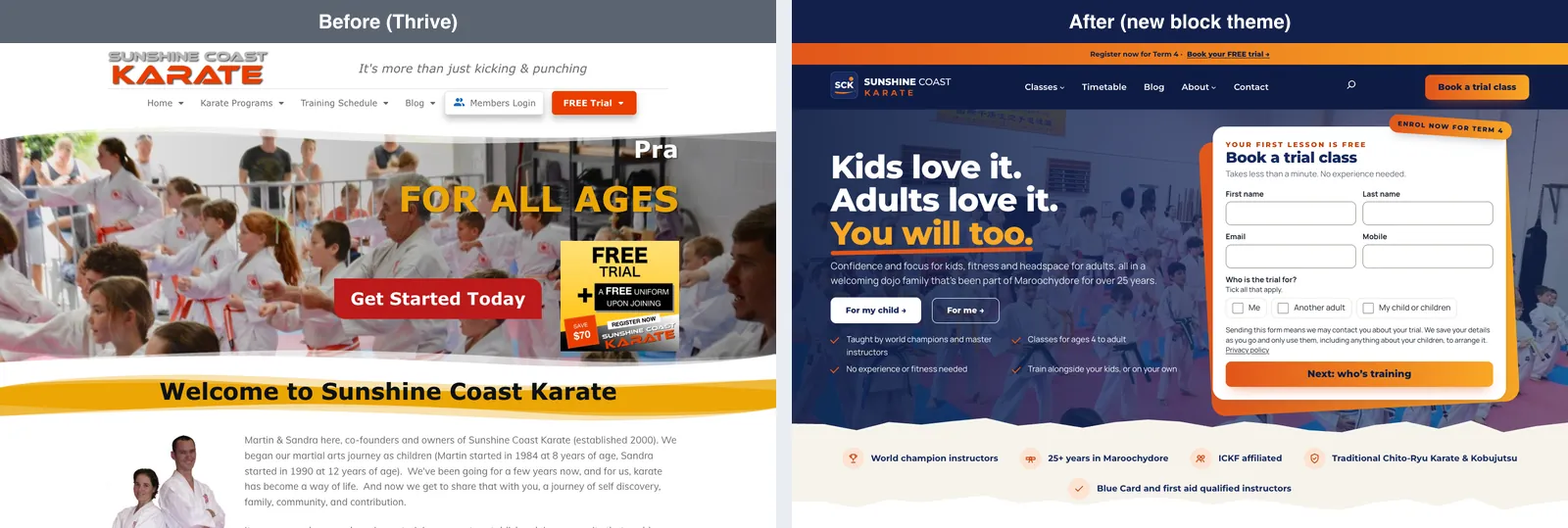
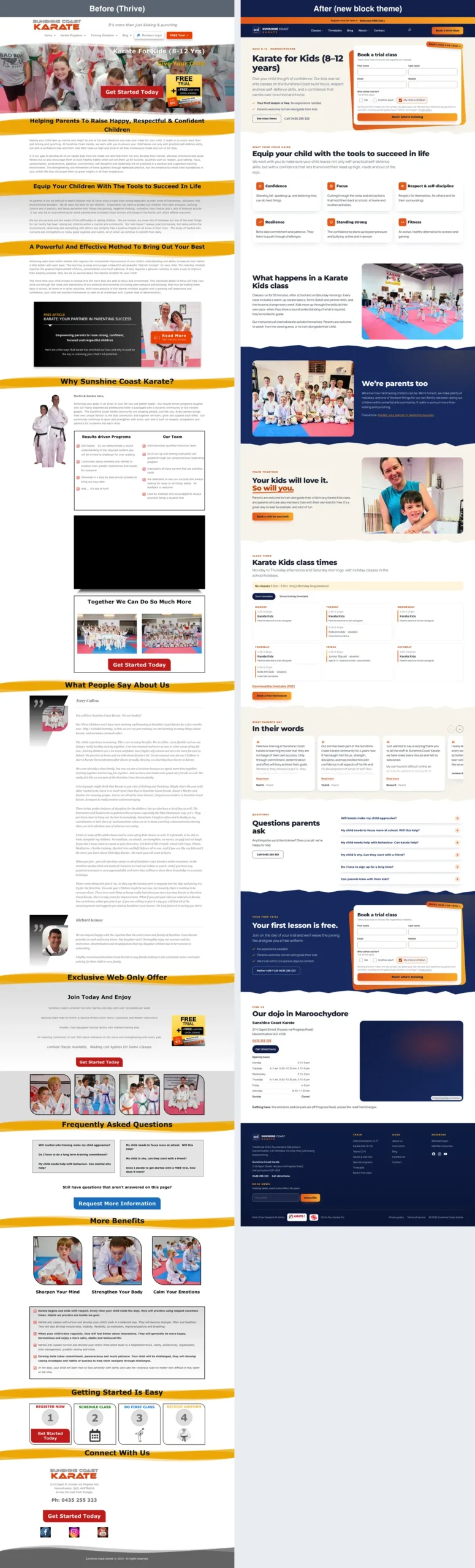
Here’s one program page, before and after:

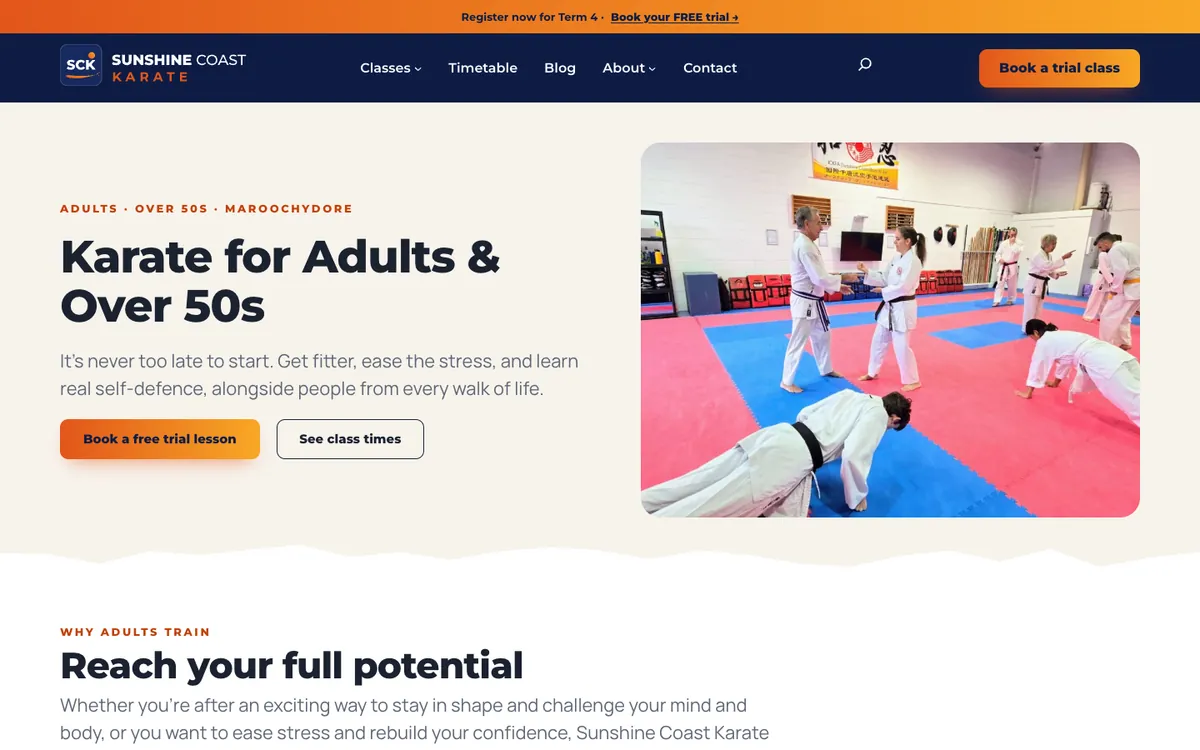
The look is Sandra’s design: navy with a sunrise gradient, two clean typefaces and the dojo’s own photos. The colours and text sizes are fixed, so nobody can pick something off-brand by accident. Instead there are 27 ready-made sections, from headers and testimonial sliders to whole program pages. Building a new campaign page now takes a few minutes.
Anything that’s content rather than looks, such as locations, classes, instructors, testimonials and FAQs, is kept separately from the design. If we ever change the design again, none of it is lost.
Five small plugins instead of eleven
Each plugin we switched off was matched to whatever took over its job:
| Switched off | Replaced by |
|---|---|
| Thrive Architect and Theme Builder | The block theme, core blocks and the sck-blocks plugin |
| Thrive Ovation (testimonials) | A testimonials type in sck-core, with consent holds |
| Thrive Leads | Lead boxes in sck-leads |
| Thrive Ultimatum | A countdown block |
| Thrive Optimize (A/B testing) | Split testing in sck-stats |
| Contact Form 7 and two add-ons | sck-leads |
| Redirect Redirection | sck-redirects |
| Hide Admin Toolbar | sck-core |
Eleven plugins were switched off on launch day and two more were removed, taking the site from 15 plugins to nine. Five of the nine are small plugins written just for this site, each with a page in our projects directory:
- SCK Core holds the classes, instructors, testimonials and the dojo’s details, typed once and shown everywhere.
- SCK Blocks adds the timetable, testimonials, countdown and the library of ready-made sections.
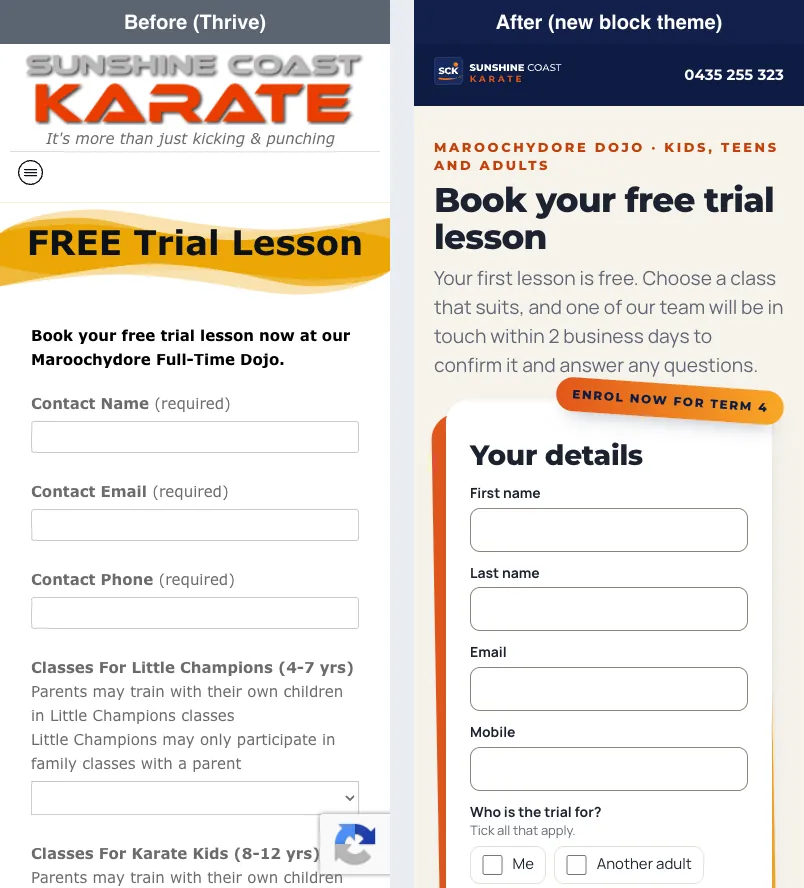
- SCK Leads runs the booking and contact forms. Every booking is saved before it’s emailed, so a lost email no longer means a lost student. The trial form asks a child’s age, suggests the right program and shows only the classes that suit, with each class’s next date.
- SCK Redirects sends 697 retired addresses to the right place, and only steps in when a page would otherwise be missing.
- SCK Stats counts visits and bookings without cookies or tracking anyone, and runs A/B tests that pick their own winner once there’s enough evidence.
Here’s the free trial form on a phone:
Three of the nine are AccessNow plugins I make. Spam Eater protects the forms instead of Google’s “I’m not a robot” puzzle, so parents have nothing to solve. AccessNow Image Optimizer keeps a backup of every original photo and makes smaller copies for faster pages. Before, most of the site’s images had none. And Site Replica did the launch itself.
Clearing out years of clutter
A rebuild is the cheapest moment to tidy up, because everything gets looked at anyway.
- The blog: all 1,829 posts went into a spreadsheet with how often people found them on Google. 163 stay as they are, 980 are kept as history but taken out of search results, 76 will be merged later, and 610 were retired. They were hidden rather than deleted, each with a redirect. No post that stayed changed its address.
- Broken images: 1,678 references to pictures that had already gone missing were removed from 607 posts.
- Size: unused files, old copies of posts and data left behind by removed plugins were cleared. The database shrank from 93 MB to 76 MB, and the files from 2.8 GB to 2.5 GB.
- Question marks: the database had stored text in an old format since the site’s early days, so emoji, arrows or Japanese characters were quietly saved as question marks. It was converted, and 450 garbled bits of text from around 2011 were repaired first.
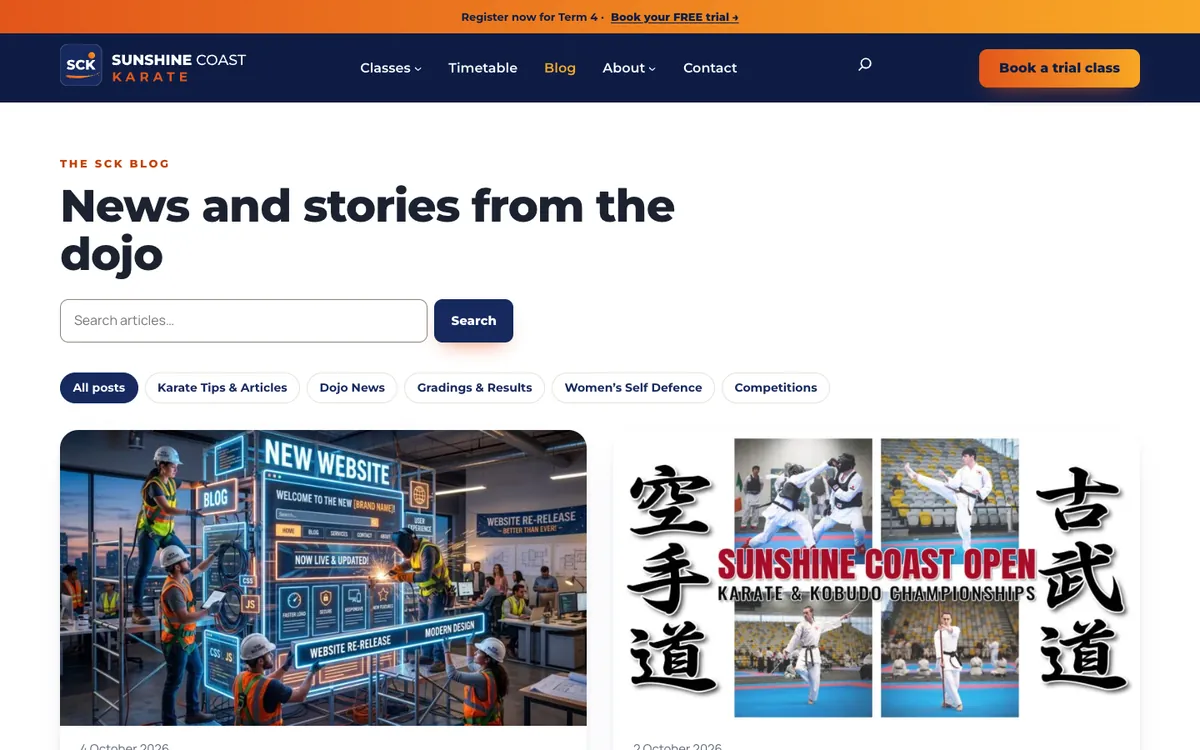
Here’s the blog, before and after:

One near miss is worth passing on. Our clean-up list flagged 23 old PDFs as unused, because no page linked to them. Those 23 files brought in 47% of the site’s visitors from Google. Before deleting anything as unused, check how people actually find your site.
Not losing a single address
Google ranks addresses, not websites, so we checked the rebuild address by address. A script visited all 3,511 addresses we knew about on the rebuilt copy and compared each with the live site. 1,550 load as before, 747 redirect to a page that loads, and almost all of the rest were already missing on the old site or were files we chose to retire. Only three addresses came back missing unexpectedly, and all three were already broken on the live site.
A post from 2012 shows what that means: the same address, in the new design.
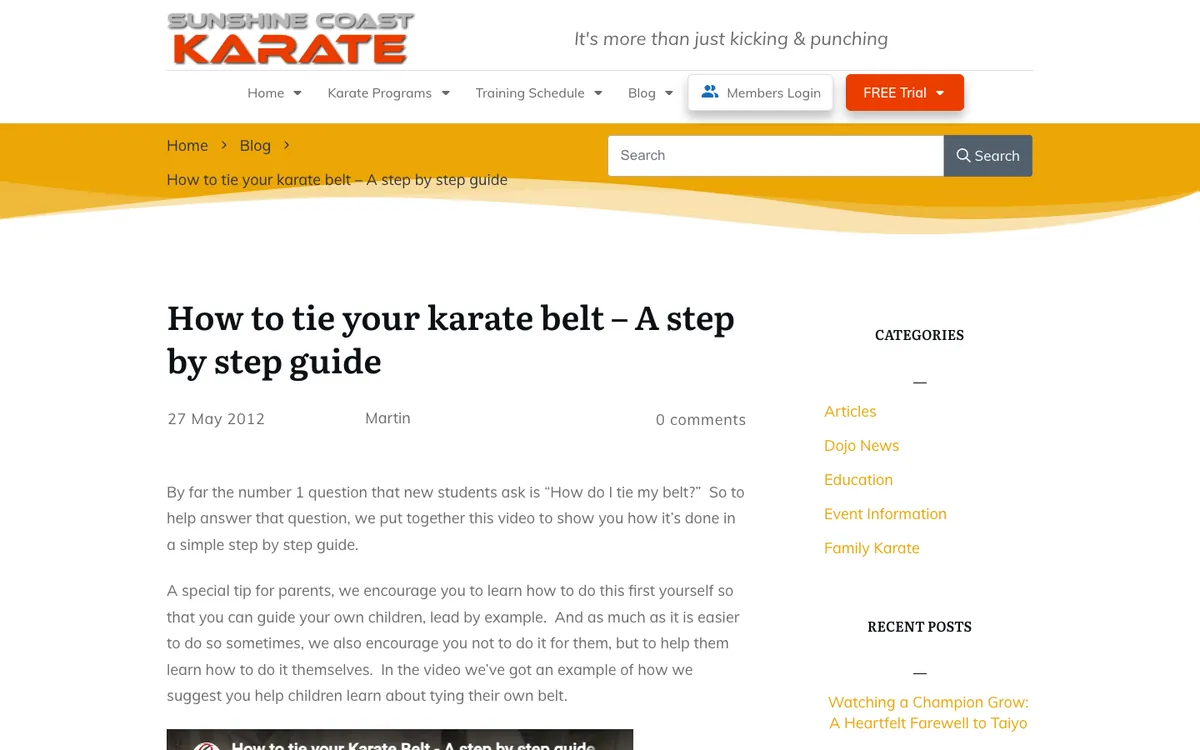
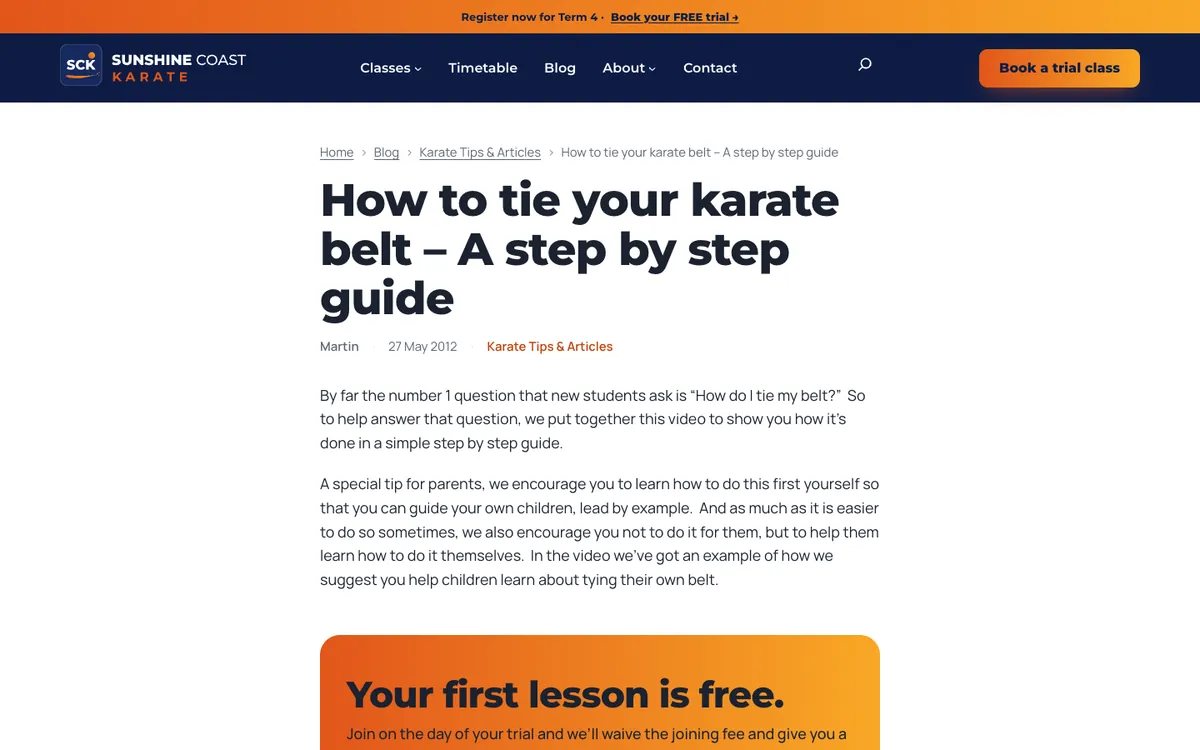
Page titles stayed the same, and the site now tells search engines more than before: the dojo’s address, logo and social profiles.
Launch day, rehearsed first
The launch is a “push”. Site Replica Pro sends the rebuilt copy to the live site, while the live site keeps its own user accounts and comments. Everything else comes from the copy. On launch morning we stopped editing the live site, and Site Replica listed anything it had gained since the copy was made, so nothing would be lost. That morning there was nothing new.
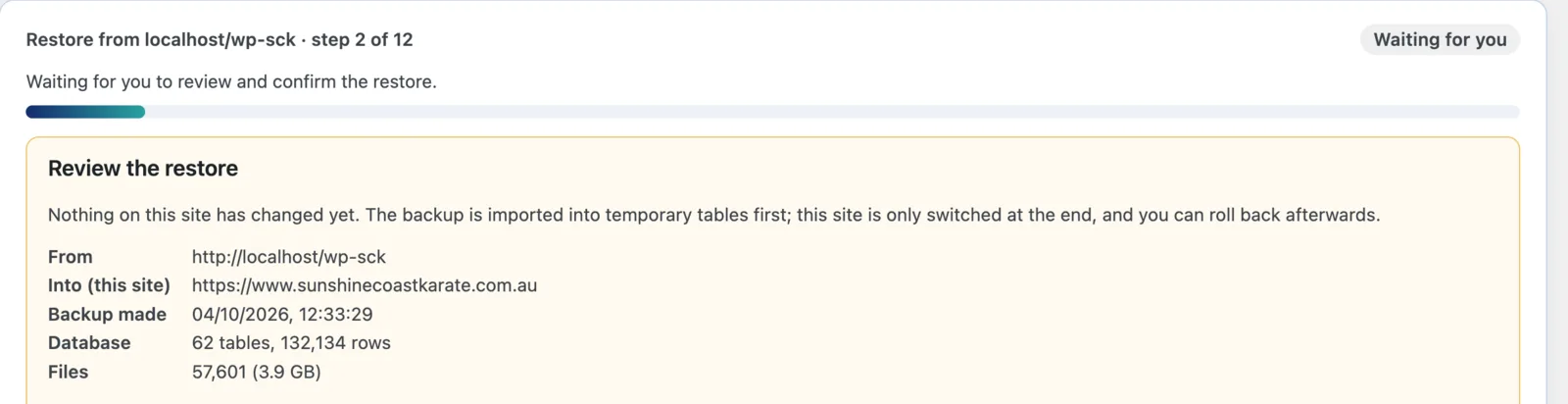
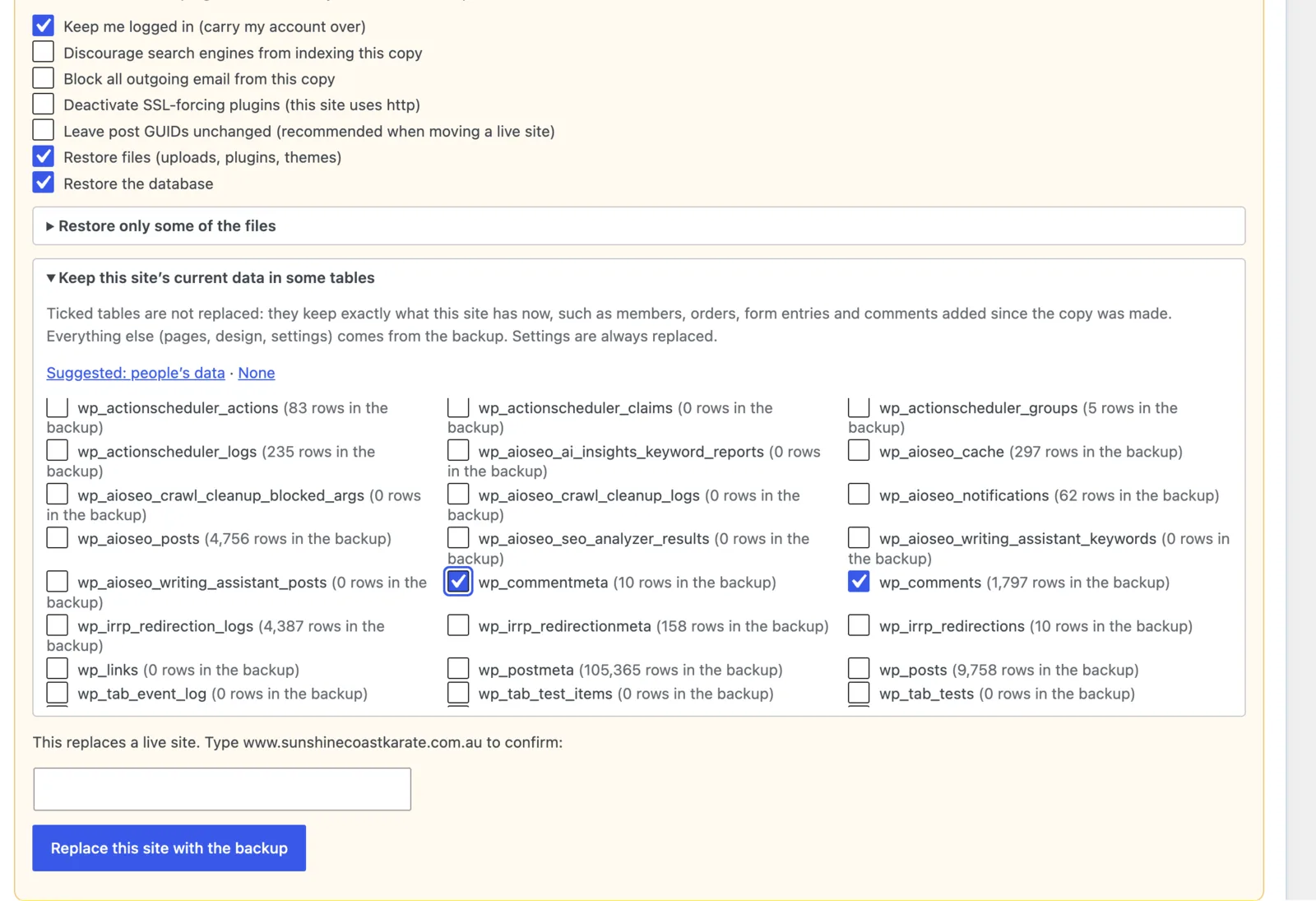
The switch happens in one step at the end, while the old site keeps serving visitors until then. The old site is kept until someone presses Keep, so Roll back puts everything back exactly as it was. Our rule was to decide within two hours.
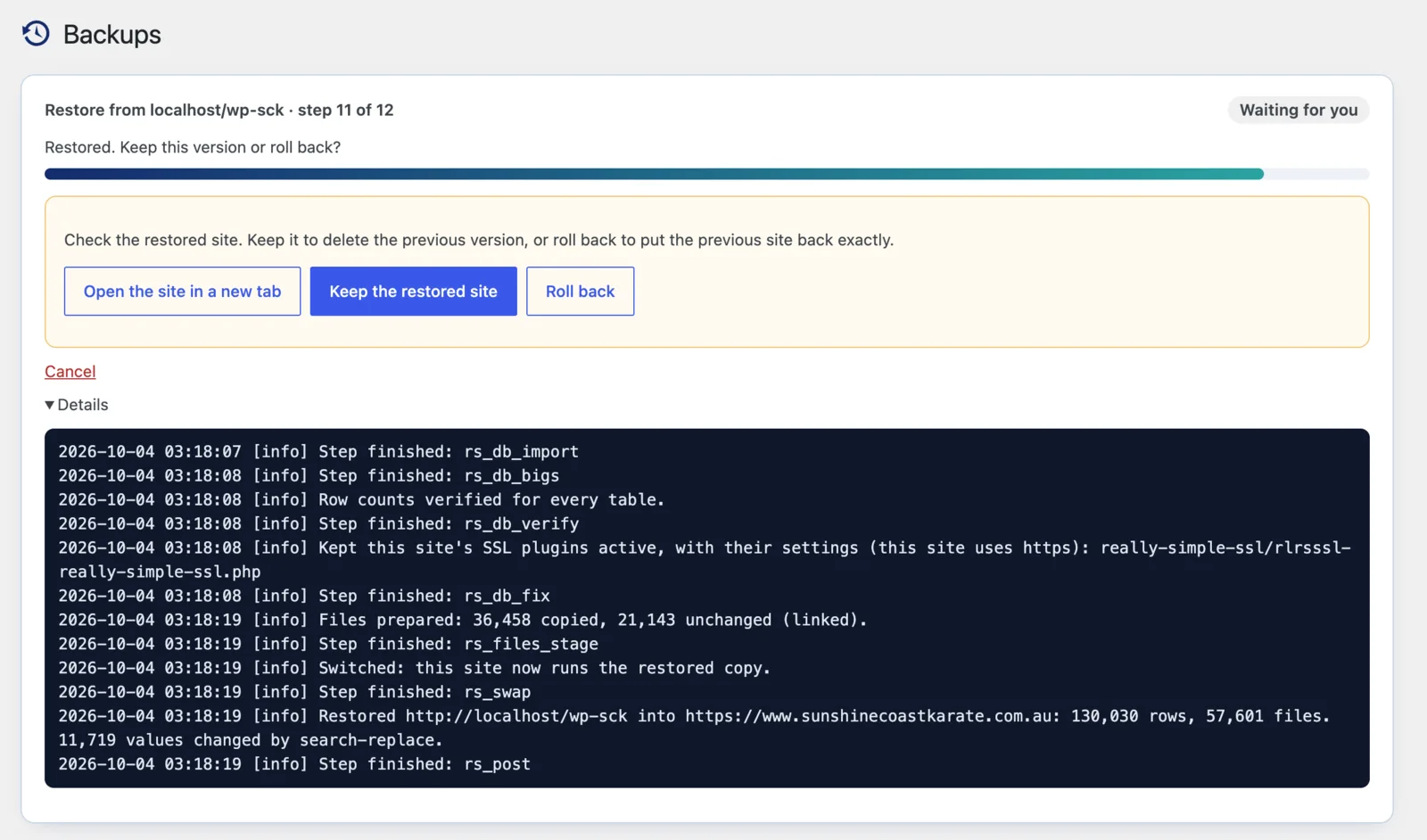
The day before, we rehearsed the whole launch onto a throwaway site on my Mac. Backing up took a minute and a half, sending 3.2 GB took four and a half minutes, and switching took about a minute. The rehearsal was more useful for what it showed our plan had wrong:
- The push copies the site exactly as it is. The first rehearsal came out wearing the old Thrive design, because the new one hadn’t been switched on in the copy before it was backed up.
- A plugin used only for previewing on my Mac would have gone to the live site too.
- Every option on the restore screen matters. One default, sensible for most sites, would have left 1,476 posts with a reference to my Mac instead of the live site.
- Roll back can’t undo changes to the parts of the live site you chose to keep. So any tidying of user accounts waited until after Keep.
There was also the question of space. The site lives on a shared hosting account with 7.81 GB of space, and about 3.8 GB was free. A safety backup of the live site is about 3.5 GB, so keeping it on the server would have filled the account before anything was sent. Instead, the backup went to my Mac. If your hosting is tight on space, work out what you need before launch day, not during it.
Big sites on small hosting are what Site Replica was built for: backing up a 3.4 GB site on hosting that fights you explains how. For launch day in general, see how to push a staging site to live without losing orders, and the help articles on putting a redesign live and reading the restore plan.
How it went
We launched on Sunday 4 October, with the dojo closed for the long weekend. The push sent 862 MB in nine and a half minutes, skipping the 18,662 files the live site already had, and the switch took a couple of minutes more.
Checking took about an hour. We looked at every key page, made a real test booking, sent the contact form and checked all 3,511 addresses again. None was broken. The one thing we’d missed was the Members login link, which pointed at a page our old member system no longer has. It’s hidden now and will come back when the new system is ready. Then we pressed Keep.
- Speed: Google’s phone score went from 55–57 to 94–100, and the main content now appears in 1 to 3 seconds instead of 8 to 14.
- Plugins: from 15 to nine, five of them our own small ones.
What we’d do differently:
- Do the clean-up on the live site too. A push deliberately leaves alone anything that exists only on the live site, so the 2,340 old files we deleted on the copy were still there afterwards.
- Check old data before converting it. Converting the user accounts tripped over something an old plugin had left behind years ago. It was easy to fix, but better found the day before.
- Look at the server, not just the pages. The pages are now so light that the slowest part is the server taking about a second to respond. Caching is next.
What we’d tell anyone moving off a page builder
- Find out what the builder stores, and what’s left if you switch it off, before you plan anything.
- Rebuild pages in place, at the same addresses, so there’s nothing to redirect.
- Count which plugins are actually doing something. Three of ours weren’t.
- Save form entries before emailing them.
- Check every address before and after, and check how people find your site before deleting “unused” files.
- Rehearse the launch on a throwaway site, and fix your plan with what the rehearsal finds.
- Keep a way back that doesn’t rely on the server you’re changing, and check the disk space first.
Site Replica is free on WordPress.org for backups, restores you can roll back, and moving a site. Pushing a copy to a live site while it keeps its own data is part of Site Replica Pro. The Site Replica project page has the details.