


Taikai, the karate tournament app I run, works in English, Japanese, French and German. People choose their language at the top of the screen and everything follows: the entry form, the emails, the draws. A month ago I moved its help desk into Support, the help desk I built to sit inside all my apps. And straight away the gap was obvious. Everything around the help desk spoke four languages. The help desk spoke one.
This is the story of making it speak all four: the buttons, the emails, the search, the help articles and the screenshots inside them. It also covers keeping all of that accurate while the app keeps changing.
Translate what customers see, not the back office
The first decision was where to draw the line. Everything a customer sees is translated: the help widget, the emails they get, their own page of requests and the public help centre. The screens my team uses to answer stay in English, because the people answering read English.
The second was whose words get translated. Support comes with its own wording, like the greeting and the label on the help button, and that’s ours to translate. But if a business writes its own greeting, it appears exactly as they wrote it, in every language. That sounds obvious, but it’s the line between our product’s words and a customer’s own content, and a translation system shouldn’t cross it.
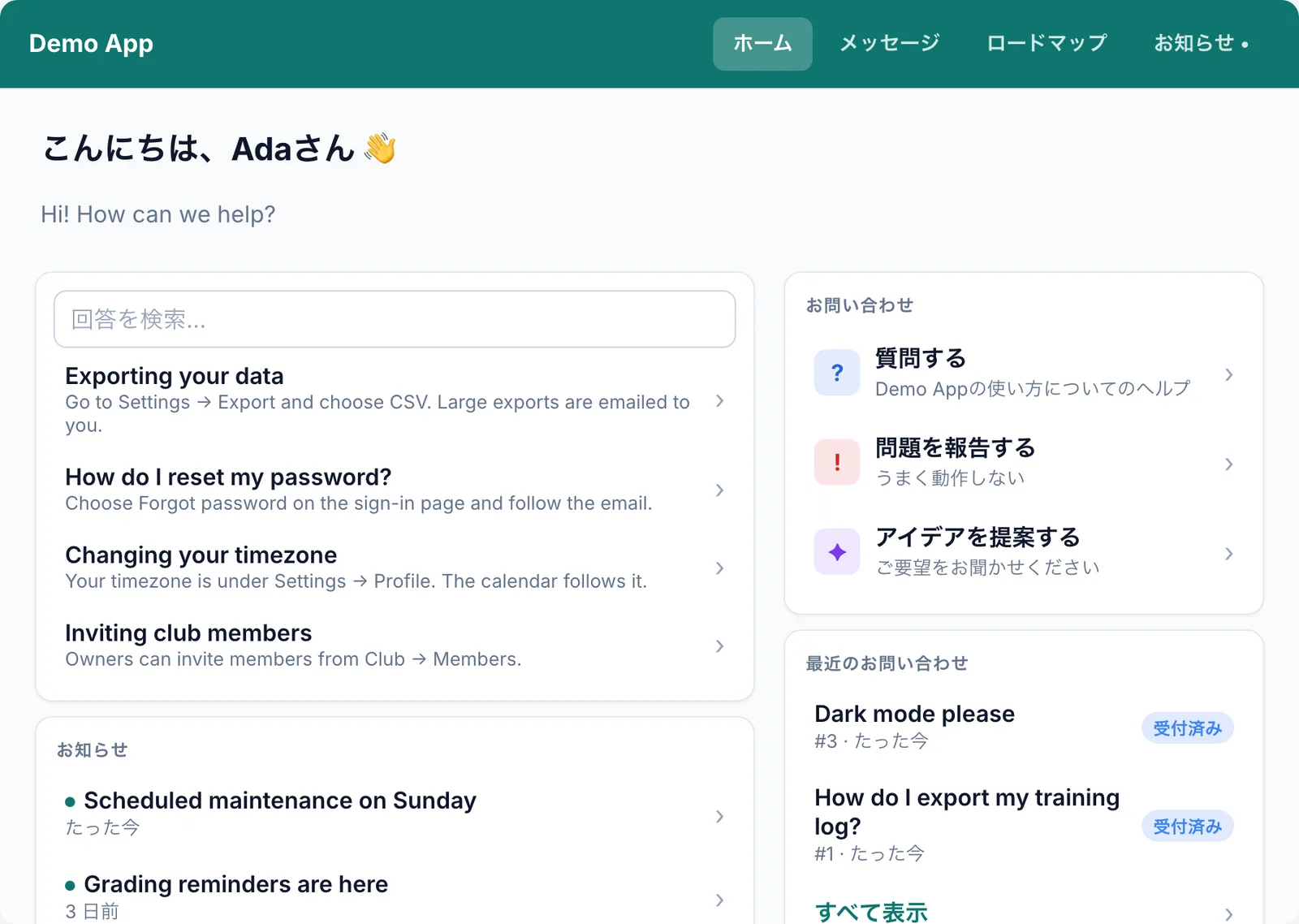
That greeting shows the most common translation mistake there is. In English it was simply “Hi” followed by the person’s name: 'Hi ' + name. Japanese puts the name first and adds さん after it, so a sentence assembled from pieces can’t be translated at all. Every sentence with a name or number in it became a complete sentence with a gap for the value. The widget alone had 141 of them.
The email that nearly went to my team in Japanese
The trap I’m gladdest I found early: when a Japanese customer sends a request, two emails go out at the same moment. Theirs, in Japanese, and the notification to my team. Switch the language to Japanese for the customer, forget to switch it back, and the team starts getting Japanese email.
Now every email is written in its recipient’s language, and the language is put back straight afterwards, even if something goes wrong. Team emails are always English. I tested it by removing that safeguard on purpose and watching the test fail. A check that something is refused doesn’t prove much until you’ve seen it fail.
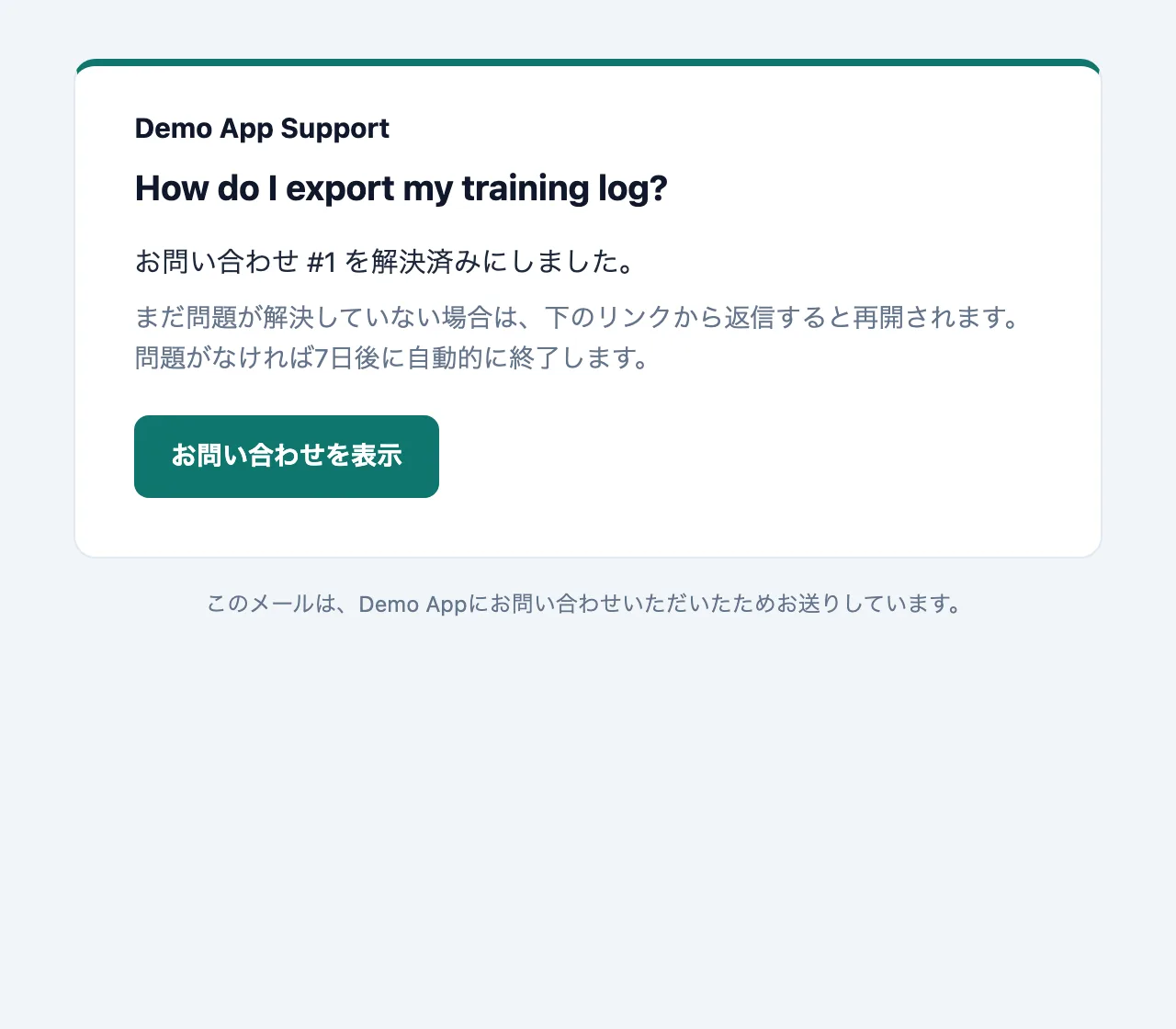
A customer’s language comes from the app they’re signed in to, not from whatever browser they happen to be using. Someone who reads Taikai in Japanese isn’t switched to English because they once opened it on a borrowed laptop.
Searching a language without spaces
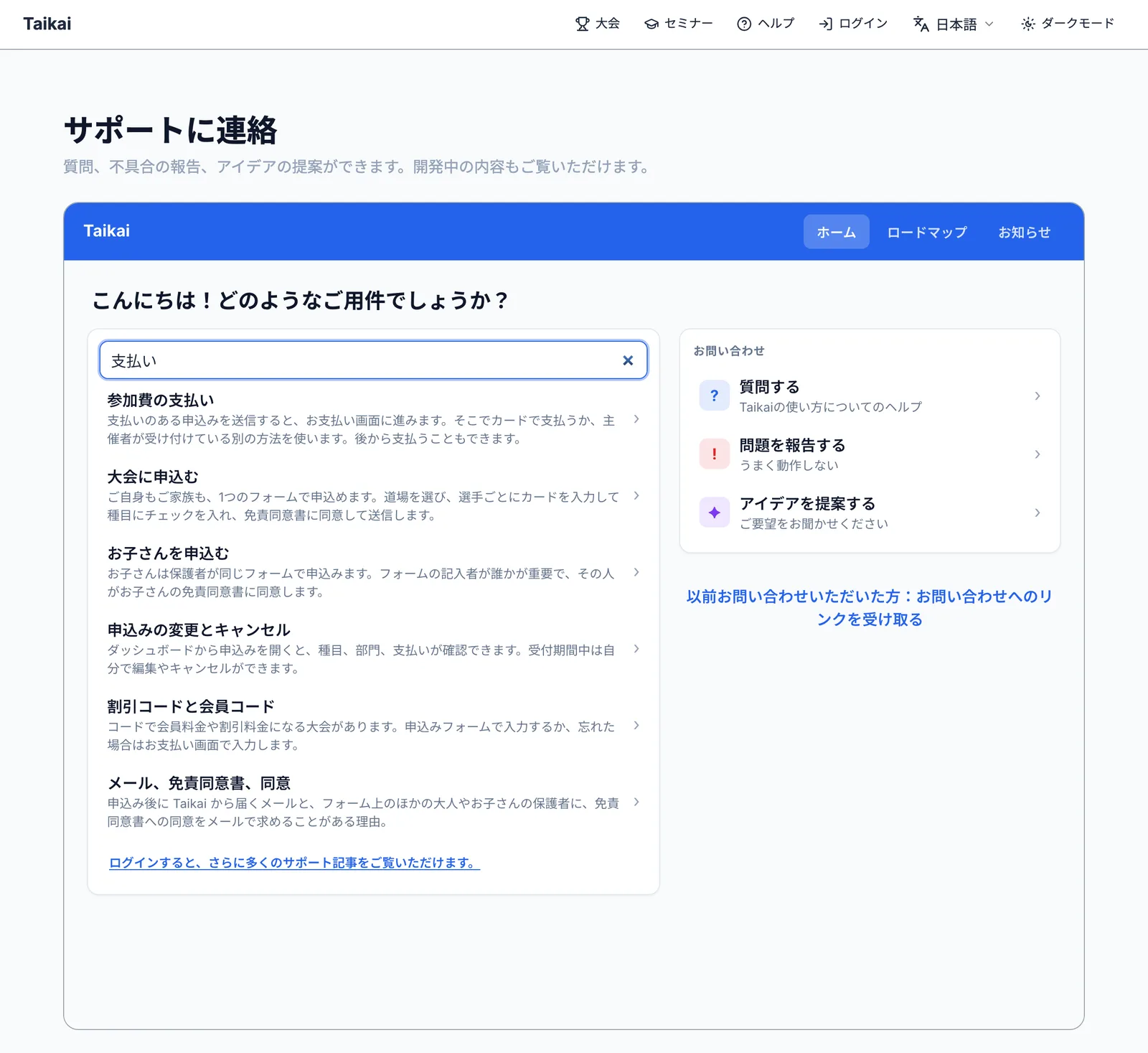
Help search used to look for each word you typed, splitting on the spaces between them. That works in English and French. Japanese doesn’t put spaces between words, so a typed question looked like one enormous word that never matched anything.
The usual answer is to cut Japanese text into overlapping pairs of characters and look for most of the pairs. My first attempt failed its own test. Typing 「支払い方法を教えて」 (“please tell me the payment method”) produced eight pairs, and three of them were grammar, the Japanese equivalent of “please” and “the”, which no article contains. Only half the pairs matched, so nothing was found.
The fix was to ignore the grammar and look only for the words that carry meaning. Now 「ログインできない」 (“I can’t log in”) searches for ログイン (log in) and finds the right article. Search also checks the English version of each article, so a Japanese reader who types an English word still finds what they need.
Rewriting the help, and what that turned up
Taikai’s old guides were long pages, written in English only and slowly falling behind the app. They’re gone, replaced by 56 short articles, each answering one question: how to enter your children, how to pay, how to run the draws on the day. Competitor articles are public. Organiser articles only appear to people who are signed in, so a parent looking for how to pay isn’t wading through setup guides. (The pictures in those articles are unlisted rather than secret, because an image link can’t check who’s signed in. I’d rather say that than pretend otherwise.)
I wrote each article by checking the app itself, not the old guide, and that turned the rewrite into an audit. The old payment guide described a button that no longer existed. The organiser articles turned up about a hundred problems, from a dojo name that could run code in an organiser’s browser, to families who had paid the early-bird price being charged more after the deadline. The serious ones were fixed before anything was translated. The articles describe what the app does today, not what it was supposed to do.
Screenshots of a tournament that never happened
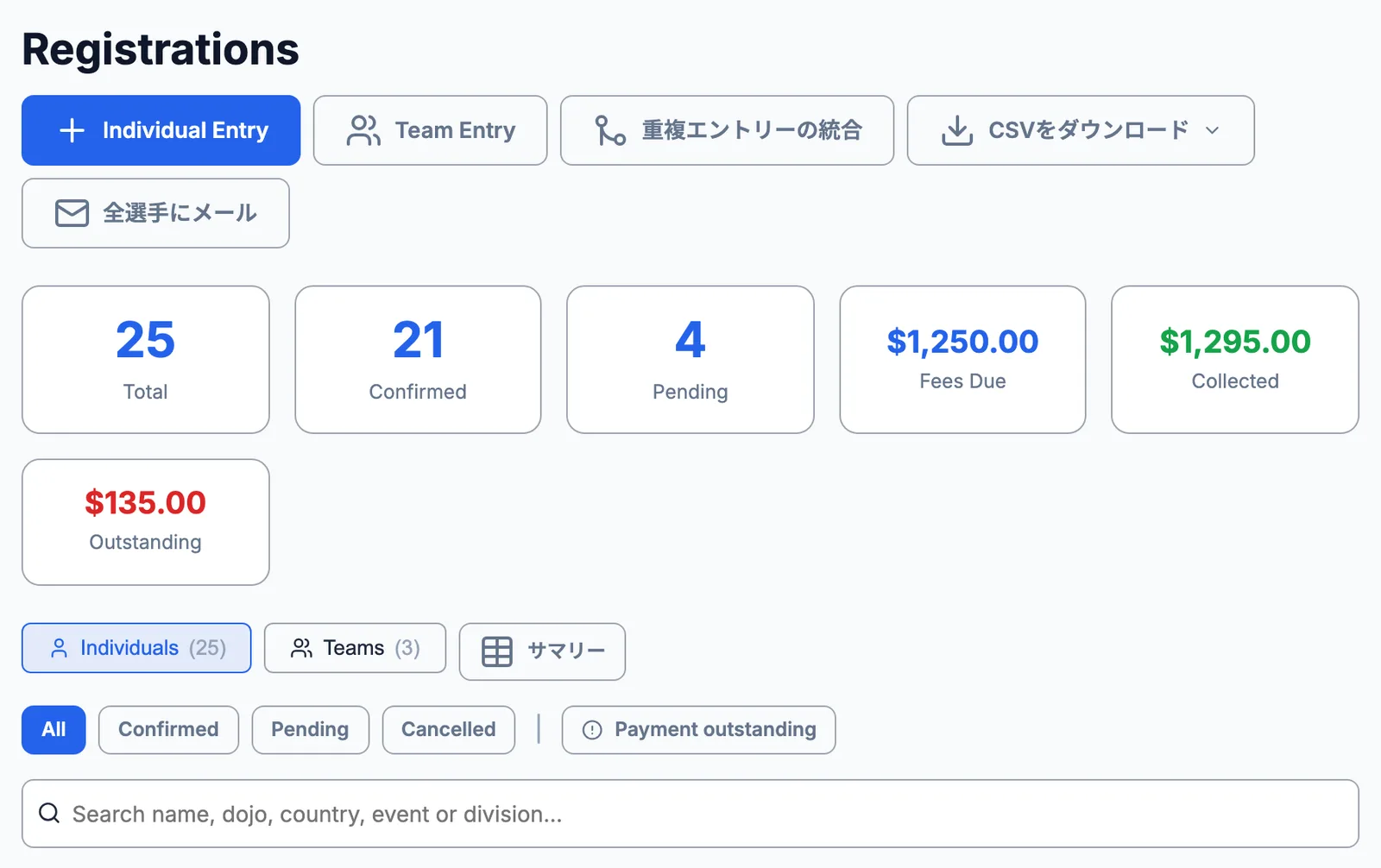
Each language’s article shows the app in that language: 54 screenshots, four times over. None of them could come from my development copy of Taikai, because it holds real tournaments with real children in them.
So I built a tournament that never happened. The Sakura Open is invented from scratch every time: half finished today, with families, teams, draws, results and a refund waiting to be processed. It’s created through the app itself, so the money adds up and the draws match who has paid. Making it add up found two more bugs on its own: a team captain charged twice, and an empty bronze-medal match.
One command retakes every picture in every language, signed in as the right person. Before saving a picture, it checks the page for anything real, such as the name of a real tournament, a real dojo or a real person’s email address. If it finds anything, it stops and saves nothing. I tested that by pointing it at real tournaments. It refused every one.
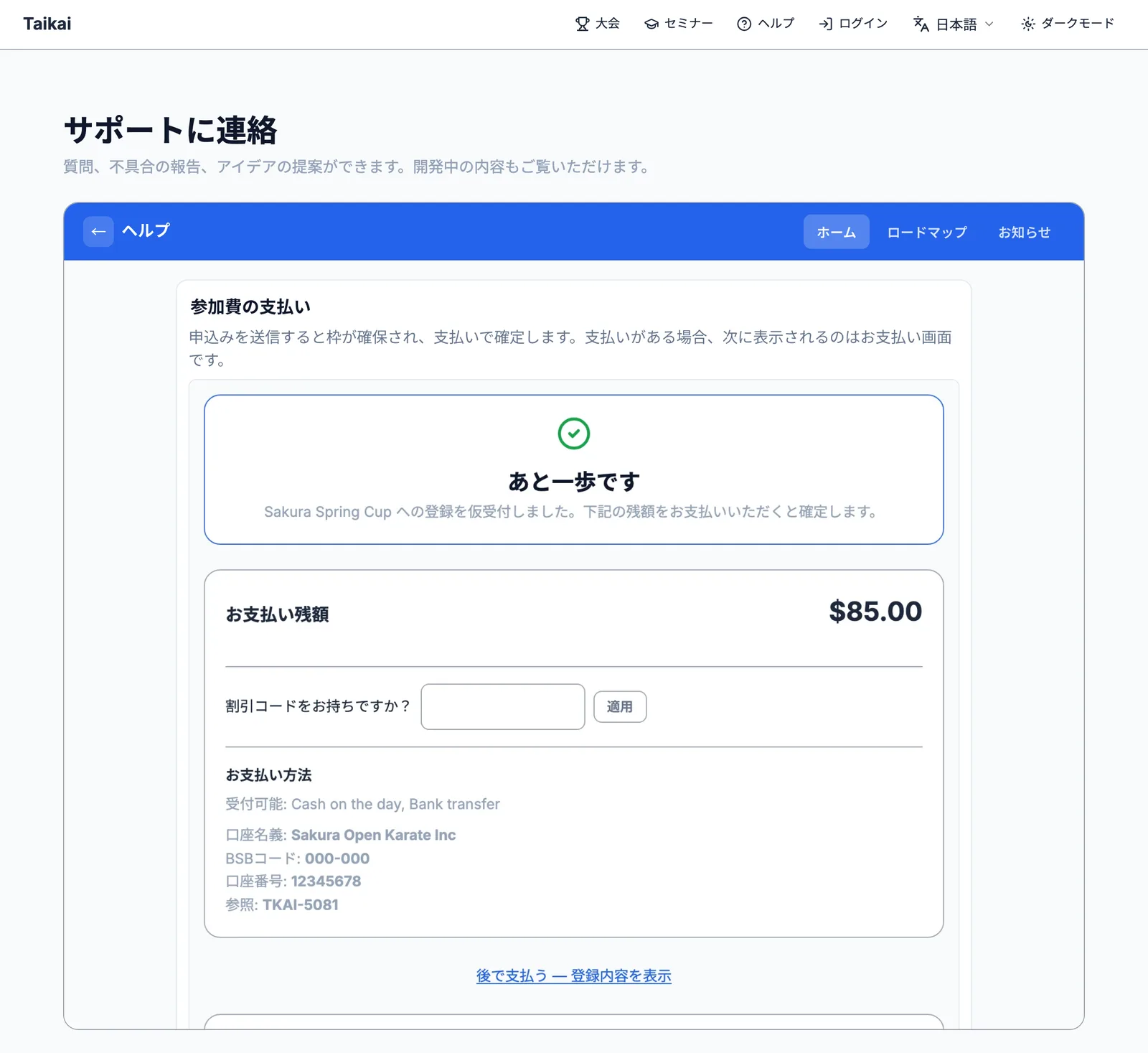
The cameras found something no test had, because the tests all run in English. In Japanese, half the organiser screens were still in English.
Translating the 168 articles checked the app’s own translations too. The French entry form said “Tarif Tarif anticipé”, the same word twice. The German version offered “Divers”, a gender option, in a menu asking how you’re related to a child, because the English word “Other” had been doing two different jobs. Both fixed.
Keeping it true as the app changes
A plugin’s help can say “checked against version 2.4”. Taikai changes every week, so instead each article lists the screens it describes. When one of those screens changes, the article is flagged for a re-read. That happens at the moment the change is made, which is the only time updating the help is cheap. Translations work the same way: change the English and the Japanese is flagged, instead of quietly describing last month’s screen.
The articles live alongside the app’s code, and every time the app is updated, any changed articles are published automatically. Only pictures that actually changed are sent. If publishing fails, the update still goes ahead, and the help catches up next time.
The first real publish shows why that matters. It stopped after 60 seconds, the server’s time limit, partway through 216 screenshots. Because nothing is published until everything has arrived, visitors never saw half-finished help. Once the limit was raised, the next update published the lot by itself.
If you build an app people use in more than one language
- Decide what gets translated, and whose words are whose, before you translate anything.
- Write whole sentences with gaps for names and numbers, never sentences built from pieces.
- Answer people in the language they chose in your app, not the one their browser guessed.
- Keep the help next to the app, and let it tell you when it’s out of date.
- Take screenshots of a pretend customer, never a real one.
For developers, the Support developer guide covers languages, who can read an article and publishing help from your own app. The Support project page has the rest.


